


Ad Hoc Query Tools: 14 Options Compared (And How to Choose)

If you’ve watched a data analyst field the same "quick question" for the fifth time this week, you know exactly why ad hoc query tools exist. The promise is simple: get answers without turning your analytics team into a human API.
The reality is messier. "Ad hoc query tools" means something different depending on who you ask. A marketer wants to pull a customer list without learning SQL. An analyst wants a faster workflow. IT wants a query engine that won't bankrupt the data lake budget.
This guide cuts through the noise. We break down 14 tools across 5 categories, explain what actually matters when choosing, and help you avoid the pitfalls that turn "self-serve analytics" into "self-serve chaos."
TL;DR: The High Signal Summary
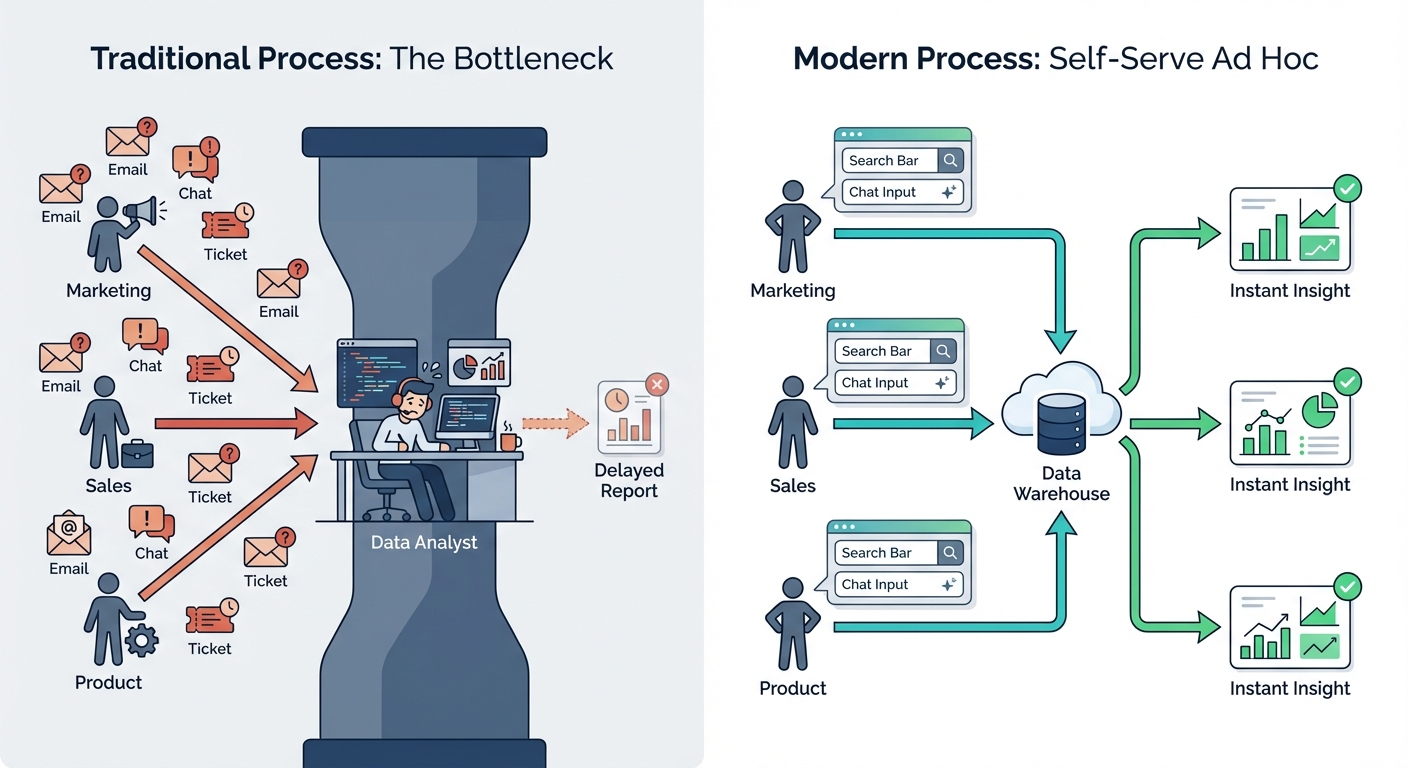
The problem: Most ad hoc requests are simple pulls ("pull me a list," "check last month's churn"). They shouldn't require a data ticket. But without the right tools, every question becomes one.
The solution landscape:
- Traditional BI (Power BI, Tableau, Looker) — Great for pre-built dashboards; often clunky for exploration.
- AI-native platforms (BlazeSQL, ThoughtSpot, Sigma) — Natural language or search-based. The modern "self-serve" approach.
- SQL-first workspaces (Mode, Hex, Count) — Collaborative, powerful environments for people who know SQL.
- SQL clients (DBeaver, DataGrip) — Raw database tools for technical users.
- Warehouse-native (Snowflake, BigQuery) — Built-in interfaces.
The key insight: The "best" tool depends entirely on your user's technical literacy. A tool that unblocks an analyst might confuse a product manager.
Not sure where you fit?
Not sure which solution is right for your needs? Take our quick 2-minute assessment to get personalized recommendations.
What Is an Ad Hoc Query Tool?
An ad hoc query is a one-time, on-demand request. It’s distinct from a scheduled report. You have a question right now; you need an answer right now.
These tools bridge the gap between "I have a question" and "I have data" without forcing you to:
- Write complex SQL from scratch.
- Wait for a data analyst to clear their backlog.
- Hunt through 50 dashboards hoping one matches your filters.
The implementation varies. Some tools assume you know SQL. Others offer drag-and-drop builders. The newest category lets you ask in plain English.
This insight from r/dataengineering hits the nail on the head. Ad hoc querying is hard because context matters. It’s not just translating words to code—it’s knowing which table holds the correct revenue figures.
Why Ad Hoc Access Matters (The Real Pain)
The Analyst Bottleneck
Here is the default state of most companies: Business teams have questions. Answering them requires SQL. They ask the data team. The data team drowns.
The downstream effects:
- Zero deep work: Analysts spend all day fetching CSVs.
- Fewer questions: Business teams stop asking because the wait time is too long.
- Context loss: The "why" gets lost in the Jira ticket.
The Dashboard Paradox
The common reaction to ad hoc overload is "build more dashboards." If we pre-answer everything, they won't ask, right?
Wrong.
Building more dashboards usually increases confusion, which increases requests. Users eventually just export to Excel because the dashboard doesn't have the exact cut they need.
Self-Service is Harder Than Vendors Admit
Every BI tool claims to be "self-service." The reality is usually different:
Self-service fails when tools force business users to understand data models. The new wave of tools attempts to solve this by handling the model logic for the user.
At a Glance: 14 Tools Compared
| Tool | Category | Best For | SQL Required? | Starting Price | AI/NLQ Features |
|---|---|---|---|---|---|
| Power BI | Traditional BI | Microsoft shops | No (for viewing) | ~$10/user/mo | Copilot (limited) |
| Tableau | Traditional BI | Data visualization | No (for viewing) | ~$15/user/mo | Ask Data (limited) |
| Looker | Traditional BI | Governed analytics | No (for viewing) | Custom | Gemini (limited) |
| BlazeSQL | AI-Native | Self-serve for all | No | ~$400/mo (3 users) | Core feature |
| ThoughtSpot | AI-Native | Search-based analytics | No | Custom | Core feature |
| Sigma Computing | AI-Native | Spreadsheet-like BI | No | ~$25/user/mo | Ask Sigma |
| Mode Analytics | SQL-First | Analyst collaboration | Yes | ~$35/user/mo | Limited |
| Hex | SQL-First | Technical analysis | Yes | Free tier available | AI assist |
| Count | SQL-First | Collaborative SQL | Yes | Free tier available | Limited |
| DBeaver | SQL Client | Multi-database access | Yes | Free (CE) | No |
| DataGrip | SQL Client | JetBrains users | Yes | ~$25/user/mo | AI assist |
| PopSQL | SQL Client | Team SQL sharing | Yes | Free tier available | Limited |
| Snowflake | Warehouse-Native | Snowflake customers | Yes | Usage-based | Cortex AI |
| BigQuery | Warehouse-Native | GCP customers | Yes | Usage-based | Gemini |
Pricing is approximate.
Detailed Reviews by Category
Traditional BI Platforms
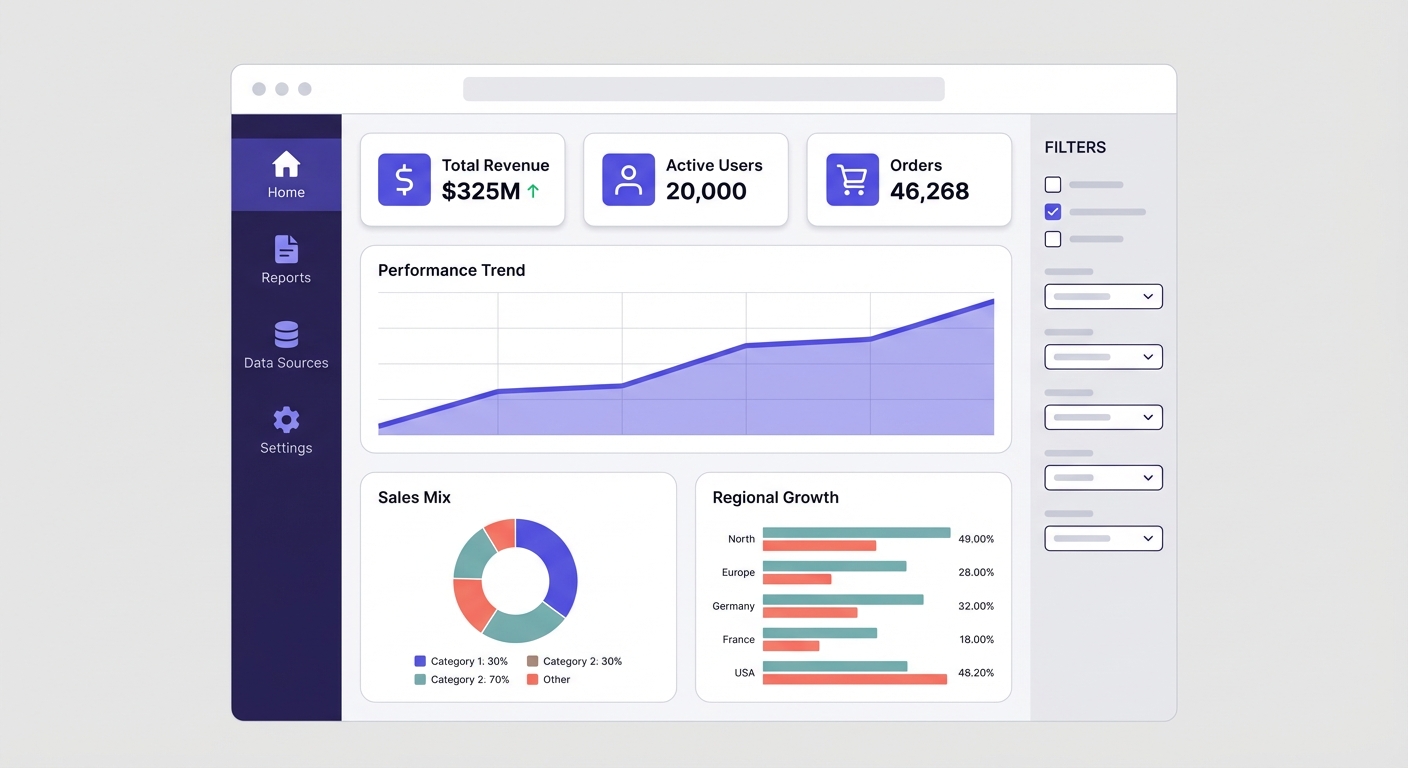
These are the incumbents. They excel at governed reporting and polished dashboards. Ad hoc exploration is often a secondary feature that requires technical setup.
Power BI
Best for: Microsoft ecosystems.
If you have Office 365, you probably have Power BI. It integrates deeply with Excel and Azure. For ad hoc work, you have three paths: DAX queries (hard), filtering pre-built reports (limited), or Copilot (new).
Key strengths:
- Unbeatable Excel integration.
- Included in many Microsoft 365 E5 licenses.
- Strong governance features.
Limitations:
- Creating reports requires learning DAX.
- "Self-service" is mostly just filtering existing views.
- Copilot setup is heavy.
The candid take on Copilot: Feedback is mixed. Users report "hallucinations" (inventing DAX functions) and results that are subtly wrong. It works best if you spend significant time prepping your data model specifically for AI.
Pricing: ~$10/user/month (Pro).
Tableau
Best for: Visual exploratory analysis.
Tableau is the gold standard for visualization. The drag-and-drop interface is intuitive for making charts, but building a functional dashboard still requires training.
Key strengths:
- Incredible visualization capabilities.
- Intuitive chart creation.
- Massive community support.
Limitations:
- Expensive at scale.
- "Ask Data" (their NLP feature) has low adoption.
- Slow on complex calculations.
The candid take on Ask Data: Industry analysts largely consider it a "flop." You have to create "Lenses" and enhance metadata before you can ask questions, which defeats the purpose of spontaneous ad hoc querying.
Pricing: ~$15/user/month (Creator).
Looker
Best for: Strict governance via LookML.
Looker forces you to define business logic in a central layer (LookML). This creates a single source of truth but requires a lot of upfront dev work.
Key strengths:
- Best-in-class governance.
- Metrics are consistent across the org.
- Deep Google Cloud integration.
Limitations:
- LookML requires developers.
- Slow time-to-value.
- UI is less intuitive than competitors.
The candid take: Looker is great if you have a team of engineers to maintain it. For business users, "self-serve" is limited to what has already been modeled. If it's not in LookML, they can't query it.
Pricing: Custom.
AI-Native Analytics Platforms
These tools were built for natural language first. They don't bolt AI onto a legacy tool; they use AI as the interface. The main differentiator here is how they handle context—teaching the AI what your data actually means.
BlazeSQL
Best for: True self-serve without SQL knowledge.
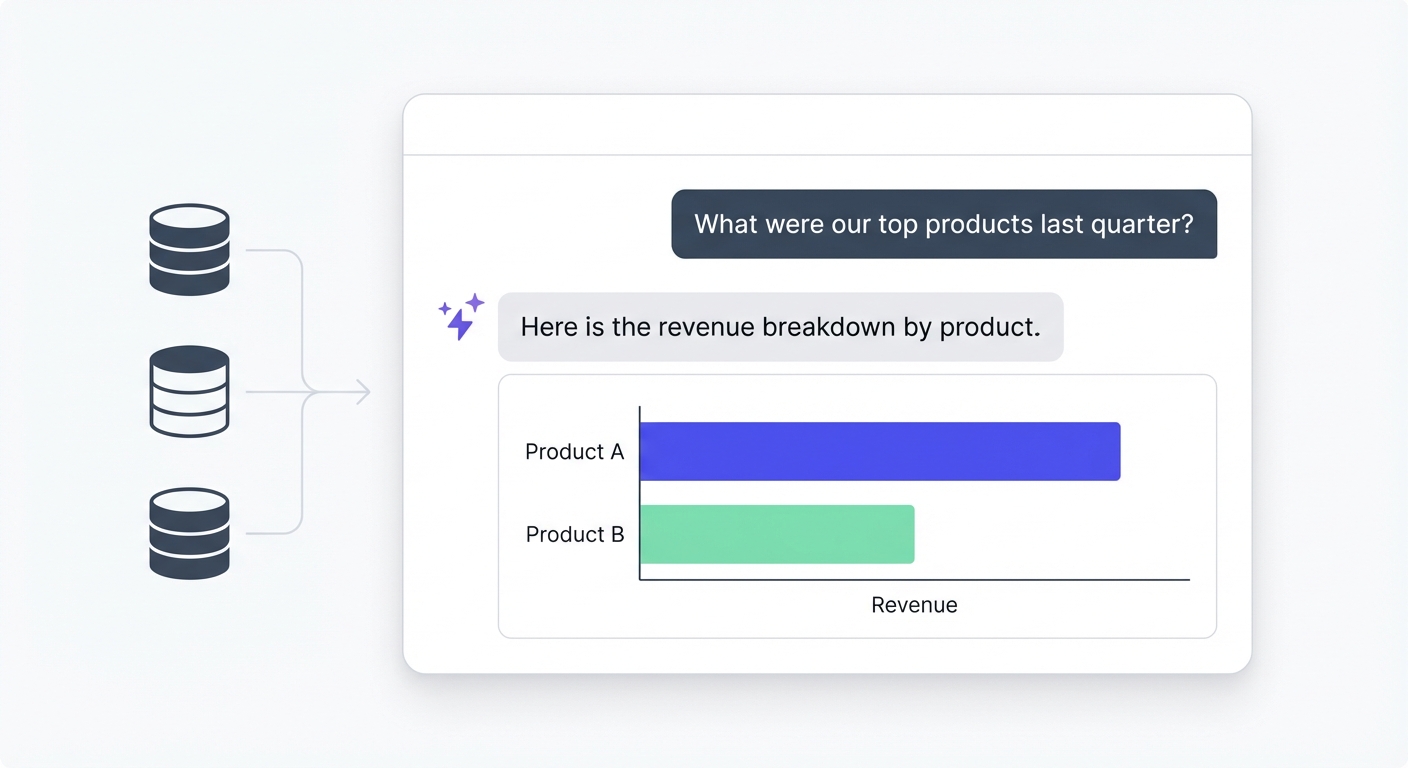
BlazeSQL lets you query databases in plain English. It generates the SQL, executes it, and visualizes the result. The focus here is on reliability through context.
Key strengths:
- Pure natural language interface.
- Connects to most SQL databases (Snowflake, BigQuery, Postgres, etc.).
- Context handling: You can add "knowledge notes" to explain business logic the AI can't guess.
- Includes a review interface for analysts to verify queries.
Limitations:
- Not for pixel-perfect, static reporting.
- Requires a SQL database (can't just upload a random CSV).
Addressing the context problem: BlazeSQL accepts that databases are messy. It uses "Knowledge Notes" (plain English rules) and "Training Questions" to learn your specific business quirks, rather than requiring a massive semantic layer setup.
Pricing: Starts around $400/month (3 users).
ThoughtSpot
Best for: Enterprise search-based analytics.
ThoughtSpot pioneered "Google for your data." You type into a search bar, you get a chart. It has strong enterprise credentials but demands pristine data.
Key strengths:
- Familiar search interface.
- Strong security/governance.
- Good embedding capabilities.
Limitations:
- Requires heavy data modeling upfront.
- Uses a token-based language, not natural conversational SQL.
- Expensive for smaller teams.
The candid take:
When it works, it's great. But getting it to "work" requires significant backend preparation. If your data model isn't flawless, the search results break.
Pricing: Custom enterprise.
Sigma Computing
Best for: Spreadsheet lovers using cloud warehouses.
Sigma is a spreadsheet interface that runs directly on your cloud warehouse. It’s perfect for Excel power users who want to work with millions of rows without crashing their laptop.
Key strengths:
- Familiar spreadsheet UI.
- Direct warehouse queries (no extracts).
- Collaborative.
Limitations:
- AI features can be non-deterministic.
- Performance hits on massive datasets.
- Still requires "spreadsheet thinking."
The candid take: It bridges the gap nicely for finance/ops teams who live in Excel but need Snowflake scale. The AI is improving but still requires you to understand the data structure.
Pricing: ~$25-60/user/month.
SQL-First Analytics Workspaces
These are for the analysts. They combine SQL editors with notebooks and visualization. They aren't for marketing managers; they are for making your data team faster.
Mode Analytics
Best for: Analyst collaboration.
Mode mixes SQL, Python/R, and charts. It’s designed for analysts to work together and share results.
Key strengths:
- Clean SQL editor.
- Python/R integration.
- easy report sharing.
Limitations:
- Not for non-SQL users.
- Visualization is weaker than Tableau/Power BI.
Pricing: Paid plans ~$35/user/month.
Hex
Best for: Technical data science teams.
Hex is a notebook-style platform (think Jupyter but better). It handles SQL and Python seamlessly and offers AI coding assistance.
Key strengths:
- Powerful notebook environment.
- Great AI code generation.
- Can publish "apps" for end users.
Limitations:
- High technical barrier to entry.
- Overkill for simple queries.
Pricing: Team plans start ~$28/user/month.
Count
Best for: Collaborative, whiteboard-style SQL.
Count is a canvas for data. You can write queries, make charts, and sticky notes all on one infinite whiteboard.
Key strengths:
- Unique whiteboard interface.
- Great for "showing your work."
- Collaborative.
Limitations:
- SQL only (no Python).
- Niche UI paradigm.
Pricing: Team plans start ~$20/user/month.
SQL Clients & Query Builders
These are raw tools for connecting to databases. Essential for DBAs and engineers.
DBeaver
Best for: Technical users needing a free, universal tool.
The Swiss Army knife of database clients. It connects to everything.
Key strengths:
- Free (Community Edition).
- Supports almost every DB.
- Solid SQL features.
Limitations:
- UI is purely functional (ugly).
- No collaboration/sharing in the free version.
Pricing: Free / ~$210/year for Enterprise.
DataGrip
Best for: Developers already using JetBrains.
If you use IntelliJ or PyCharm, this is the DB tool for you.
Key strengths:
- Incredible auto-complete/refactoring.
- AI assistant is solid.
- JetBrains ecosystem integration.
Limitations:
- Paid only.
- Steep learning curve for non-devs.
Pricing: ~$25/user/month.
PopSQL
Best for: Team SQL sharing.
A collaborative SQL editor. Think Google Docs for queries.
Key strengths:
- Share queries easily.
- Version history.
- Nice modern UI.
Limitations:
- Still requires SQL knowledge.
- Charts are basic.
Pricing: Starts ~$8/user/month.
Warehouse-Native Query Tools
Your cloud warehouse already has a query button. Sometimes that's all you need.
Snowflake Worksheets + Cortex AI
Best for: Snowflake shops.
Snowflake's native interface now includes Cortex AI for natural language querying.
Key strengths:
- No new tool to buy.
- Secure by default.
- Cortex is improving fast.
Limitations:
- Snowflake only.
- Cortex requires perfect column naming to work well.
- Not a business-user UI.
Pricing: Usage-based.
BigQuery Studio + Gemini
Best for: Google Cloud shops.
Similar to Snowflake, BigQuery has a built-in SQL editor with Gemini AI assistance.
Key strengths:
- Serverless scaling.
- Integrated with GCP.
- Gemini is getting smarter.
Limitations:
- GCP only.
- Complex interface for non-technical users.
Pricing: Usage-based.
How to Choose the Right Tool
There is no "best" tool. There is only the right tool for your specific users.
1. Who is asking the questions?
- Just Analysts: Get a SQL workspace (Hex, Mode) or a better client (DataGrip). Don't overcomplicate it.
- Business Users: You need AI-native (BlazeSQL) or Traditional BI. The latter requires you to pre-build the answers; the former lets them explore.
- Everyone: AI-native platforms are the bridge. They write SQL for the analysts and answer questions for the business users.
2. How clean is your data?
- Pristine: Most tools will work.
- Messy (Cryptic names, weird logic): You need a tool with a semantic layer (Looker) or a flexible context engine (BlazeSQL). If you throw a generic AI at a messy database, it will fail.
3. What is your stack?
- Microsoft Shop: Power BI is the path of least resistance.
- Snowflake/BigQuery: Use native tools for devs, add a layer for business users.
- Greenfield: Skip traditional BI. Go AI-native.
Get personalized recommendations based on your team's specific needs, data infrastructure, and goals.
Implementation: How to Not Screw This Up
Picking the tool is the easy part. Here is how to roll it out successfully.
1. Don't Query Production
Never point ad hoc tools at your production application database. Someone will write a query that locks the users table.
- Do: Connect to your warehouse (Snowflake, BigQuery).
- Alternative: Use a Read Replica.
- Must: Set query timeouts.
2. Governance First
- RBAC: Define who sees what immediately.
- Review: Set up workflows where an analyst reviews complex queries before they drive business decisions.
- Definitions: Agree on what "Revenue" means before you let people query it.
3. Start Small
Don't give access to 500 people on Day 1.
- Pick one team (e.g., Marketing).
- See where the tool fails/struggles.
- Fix the data context.
- Expand.
4. Excel is Fine
Don't try to kill Excel. If a user wants to export data to do pivot tables, let them. The goal is to unblock the data access, not dictate the visualization tool.
Frequently Asked Questions
Q: Ad hoc queries vs. Dashboards? A: Dashboards answer anticipated questions. Ad hoc queries answer unanticipated questions. You need both.
Q: Can AI really write reliable SQL? A: It can write syntactically correct SQL easily. Writing business-accurate SQL depends entirely on context. If the AI knows your business logic (via training or semantic layers), yes. If not, no.
Q: How do we stop dangerous queries? A: Read-only permissions, query timeouts, and never connecting to prod.
Q: Is self-service BI actually achievable? A: Traditional drag-and-drop self-service largely failed. AI-native self-service is working because the barrier (typing natural language) is much lower than learning a data model.
Q: Should we build our own text-to-SQL tool? A: No. Handling the edge cases of business logic is harder than it looks. Buy, don't build.
Why We Built BlazeSQL
We built BlazeSQL because we saw the same pattern everywhere: Companies have data. Business users have questions. The only bridge between them was a stressed-out data analyst.
Traditional BI didn't solve ad hoc (it just created dashboard sprawl). Early AI tools failed because they couldn't handle real-world, messy databases.
Our thesis is simple: Reliability is about context.
LLMs are great at SQL syntax, but they don't know your business. They don't know that "churned users" excludes trial accounts. BlazeSQL is built to capture that context easily—through knowledge notes and training—without a massive implementation project.
It allows business users to self-serve on the simple stuff, so analysts can get back to actual analysis.
Text to SQL tools are a bit misleading. The problem with SQL is that it requires contextual understanding of the underlying data model in order to be useful.
View on Reddit