


13 Best Julius AI Alternatives in 2026

Julius AI democratized data analysis with a simple premise: upload a CSV, ask a question. But if you've been using it for a while, you've likely hit the ceiling.
Maybe you connected your SQL database—only to find the experience still feels like it was designed for flat files. Maybe the AI defines "active users" differently every Tuesday. Or perhaps your team scaled, and you need actual governance over who sees what.
The good news: there are solid alternatives. The bad news: the market is flooded with tools that look great in demos but break when fed messy, real-world business data.
We tested 13 competitors to find which ones actually work. Here is the candid breakdown of pricing, feedback, and where they fit in your stack.
Not sure which solution is right for your needs? Take our quick 2-minute assessment to get personalized recommendations.
TL;DR: The Cheat Sheet
- For SQL database/warehouse analysis: BlazeSQL or ThoughtSpot
- For a file-first experience (like Julius): ChatGPT Advanced Data Analysis or Powerdrill AI
- For coders who want collaboration: Hex or Deepnote
- If you live in Microsoft: Power BI with Copilot
- For enterprise governance: Looker or Tableau
- For a modern spreadsheet with AI: Rows or Quadratic
What is Julius AI?
Julius started as a way to upload flat files (CSV, Excel, PDF) and ask questions in plain English. It spins up Python code, runs the analysis, and spits out a chart.
The Specs:
- Core Loop: Natural language queries on uploaded files.
- Tech: Auto-generated Python code with self-debugging.
- Visuals: 20+ chart types.
- Database Connectors: Available on Business tier ($375/mo) and above.
- Price: Free (limited), Plus ($20/mo), Pro ($37/mo), Business ($375/mo).
Julius has since added database connectivity (Postgres, BigQuery, Snowflake, etc.) on its higher tiers. But here's the catch: the product was built file-first. Database support came later, and the architecture reflects that. It's a bit like asking your general practitioner to perform surgery—they have medical training, but they're not specialists.
Why You're Likely Churning
Based on user feedback and our testing, here is why teams move on:
1. Database Features Feel Bolted On
Julius added SQL connectors, but the underlying architecture wasn't designed for data warehouse complexity. Context management (teaching the AI your metric definitions), query governance, and monitoring business users' questions—these aren't baked in. They're the features that matter when you're scaling beyond a single analyst poking at files.
2. The "Active User" Drift
Ask Julius about "revenue" today, and it might calculate it one way. Ask it tomorrow, and it might use a different column. Without a semantic layer to lock in definitions, answers are inconsistent.
3. Governance is Weak
Fine for individuals, risky for teams. You need to know what your non-technical users are asking and verify the AI isn't hallucinating answers for the VP of Sales.
4. Technical Hiccups
Users report login issues, API failures, and slow support. Trustpilot currently sits at a mediocre 3.0/5.
5. It Gets Expensive for What You Get
To get database access and team features, you jump to the $375/mo Business tier. That's steep for functionality that still feels secondary to the core file-analysis experience.
How We Graded
We skipped the marketing fluff and looked for seven things:
| Criterion | What We Looked For |
|---|---|
| NL Quality | Does it understand vague questions? Does it ask for clarification? |
| Connectivity | Native database design vs. "databases added later." |
| Reliability | Can you teach it definitions? Does it remember them? |
| Collaboration | Can we work on this together? |
| Governance | Can I review the SQL/code before it runs? |
| Pricing | Is it transparent or "Contact Sales"? |
| Evidence | What do Reddit/G2/Trustpilot actually say? |
Comparison at a Glance
| Tool | Best For | Built for Databases | Starting Price | Free Tier |
|---|---|---|---|---|
| ChatGPT ADA | Quick file analysis | ❌ | $20/mo | Limited |
| Powerdrill AI | Budget file analysis | ❌ | $17/mo | ✅ |
| BlazeSQL | SQL self-serve BI | ✅ | ~$400/mo | Trial |
| ThoughtSpot | Enterprise search BI | ✅ | $50/mo | Trial |
| Hex | Technical notebooks | ✅ | $36/mo | ✅ |
| Deepnote | Team notebooks | ✅ | $49/mo | ✅ |
| Rows | Modern spreadsheets | ✅ | $8/mo | ✅ |
| Quadratic | Code-native spreadsheets | ✅ | $18/mo | ✅ |
| Power BI | Microsoft shops | ✅ | $14/mo | Desktop |
| Tableau | Visual analytics | ✅ | $15/mo | Trial |
| Looker | Governed enterprise BI | ✅ | Contact | ❌ |
| Narrative BI | Marketing insights | Limited | $30/source/mo | Trial |
| Datapad | Conversational analytics | ✅ | $30/mo | ✅ |
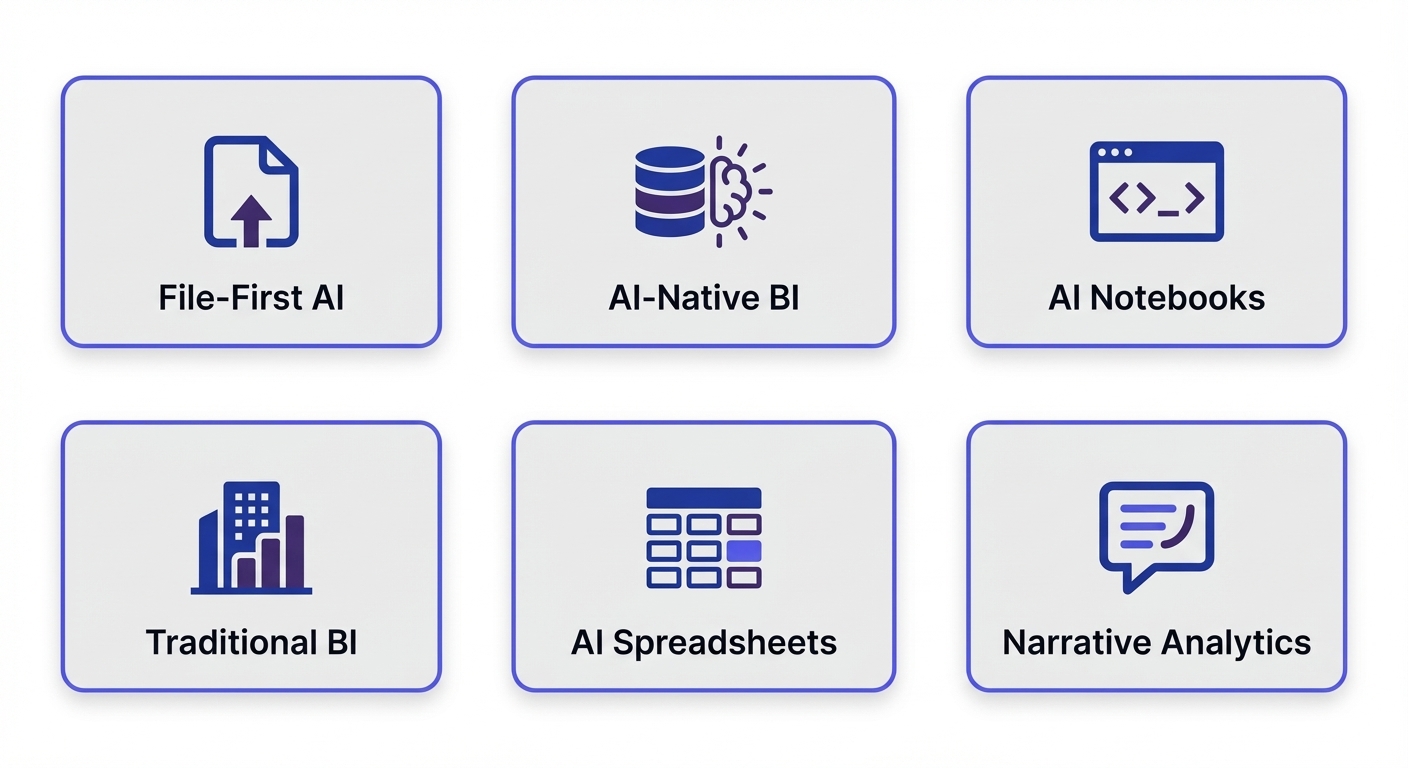
The 13 Best Alternatives
File-First AI Analysis Tools
If you like the Julius workflow (upload → ask) and don't need live database connections, these deliver a similar experience.
ChatGPT Advanced Data Analysis
Formerly "Code Interpreter," this runs Python in a sandbox. You likely already have it.
The Gist:
- Upload files, ask questions, get Python-generated charts.
- Huge context window.
Pricing: Included with ChatGPT Plus ($20/mo).
The Verdict:
- Pros: Zero friction if you have Plus. Strong code generation.
- Cons: No memory (re-upload every time). No databases. Hallucinates occasionally. No team features.
- Best for: One-off analysis when you just need an answer now.
Powerdrill AI
Markets itself as the budget Julius with a brain that remembers.
The Gist:
- Natural language queries with persistent datasets (unlike ChatGPT).
- Exports analysis results directly.
Pricing: Free tier; Pro from $17/mo.
The Verdict:
- Pros: Cheaper than Julius Pro. Files don't expire.
- Cons: Inconsistent response quality. Limited database options.
- Warning: Verify the billing. Multiple Trustpilot reviews mention headaches with cancellation.
- Best for: Budget-conscious users who need persistent storage.
---
AI-Native BI Platforms
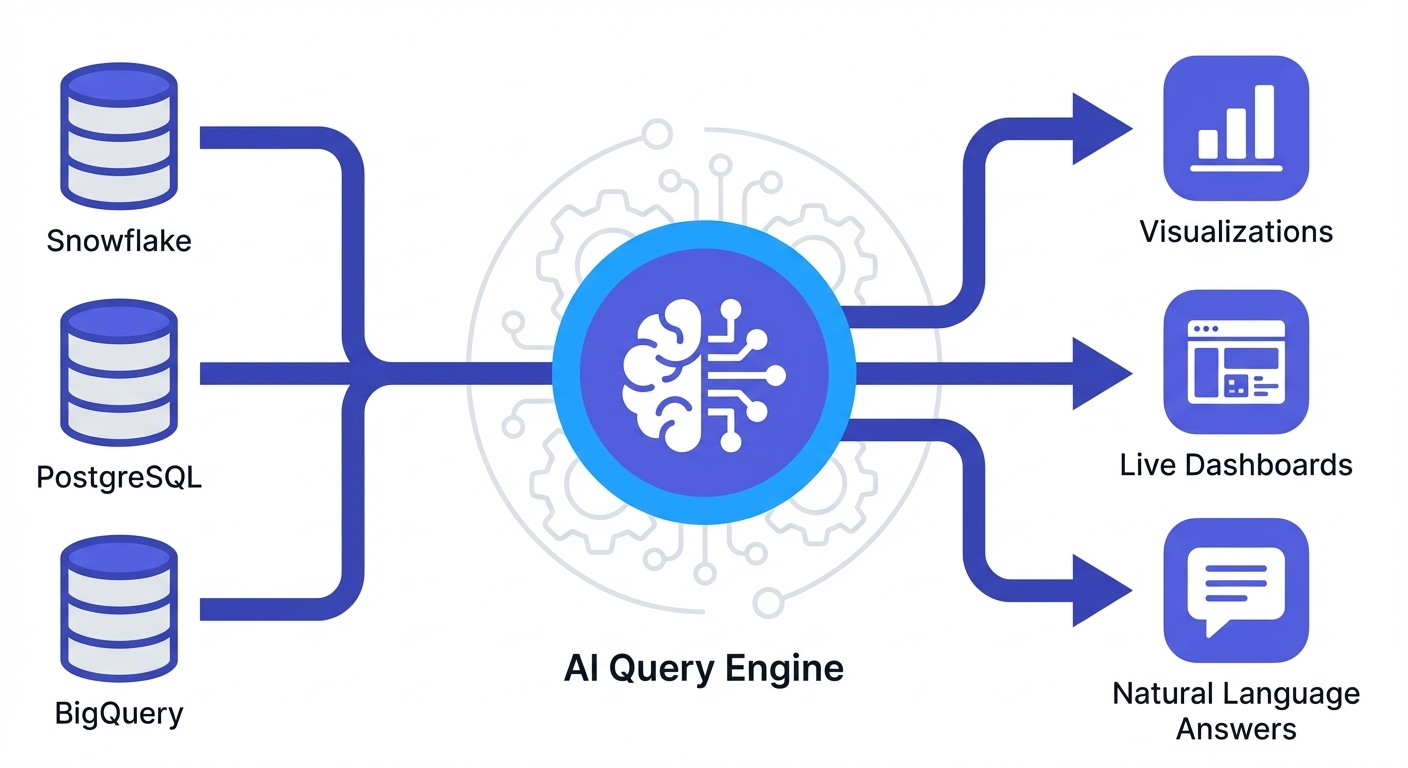
These tools were designed from day one around SQL databases and warehouses. The difference matters: when an AI is built to understand complex schemas, maintain context, and let admins monitor usage, the reliability gap is night and day.
BlazeSQL
A BI platform built specifically for AI queries on SQL databases. It lets non-technical users query data without breaking things—and gives admins the visibility to trust that it's working.
The Gist:
- Connects to live SQL databases (Snowflake, BigQuery, Postgres, etc.).
- Context Management: You can "teach" it metric definitions via knowledge notes and training questions—so it stops guessing.
- Governance: Review generated queries, monitor what business users are asking, restrict access by role.
- Includes dashboards (created via natural language) and AI-powered email reports.
Pricing: Seat-based, starting ~$400/mo for 3 users.
The Verdict:
- Pros: Purpose-built for SQL. Solves the "hallucination" problem by letting you train the model on your schema. Great for teams. Dashboards and reporting included.
- Cons: Pricier than simple chatbots. Overkill if you're just analyzing local CSVs.
- Best for: Teams needing reliable, self-serve analytics on SQL databases.
ThoughtSpot
The original "search bar for data." They've added an AI agent called "Spotter." It's heavy-duty enterprise software.
The Gist:
- Live queries on cloud warehouses.
- Requires setting up a governed semantic layer first.
Pricing: Starts $50/user/mo; enterprise contracts vary.
The Verdict:
- Pros: Mature, secure, and scales well for big corps.
- Cons: High setup effort (you have to model the data). Expensive for small teams. Users often find it "high maintenance."
- Best for: Large enterprises with a dedicated data team.
---
Collaborative AI Notebooks
For the technical folks. If you know Python/SQL but want AI to speed you up, use a notebook.
Hex
The gold standard for modern data teams. It mixes SQL, Python, and AI in a UI that feels like Notion.
The Gist:
- Collaborative notebooks (think Google Docs for code).
- One-click publishing to turn analysis into interactive apps for stakeholders.
Pricing: Generous free tier; Pro from $36/mo.
The Verdict:
- Pros: Incredible collaboration. You see the code, so you trust the result. Great for building internal tools.
- Cons: Steeper learning curve (it's a technical tool).
- Best for: Data teams who want to move fast and share results easily.
Deepnote
Jupyter notebooks with a better UI and real-time collaboration.
The Gist:
- AI copilot for code gen.
- Connects to 40+ databases.
- Multi-language (Python, R, SQL).
Pricing: Free tier (750 hours); Team from $49/user/mo.
The Verdict:
- Pros: Beautiful interface. Great for education and data science exploration.
- Cons: Compute limits on free tier. Less "production app" focused than Hex.
- Best for: Data science teams focused on exploration and model building.
---
AI-Enhanced Spreadsheets
Familiar interface, modern capabilities. These are for teams who think in cells but want AI superpowers.
Rows
The spreadsheet for the modern era.
The Gist:
- It's a spreadsheet, but with built-in AI analysts and database connections.
- 50+ integrations.
Pricing: Free tier; Pro from $8/mo.
The Verdict:
- Pros: Cheap and familiar. Python analytics inside cells.
- Cons: Can't match Excel for massive financial modeling.
- Best for: Marketers or ops teams who want a smarter spreadsheet.
Quadratic
For the developers who wish Excel ran code natively.
The Gist:
- Infinite canvas spreadsheet.
- Runs Python, SQL, and JavaScript directly in cells.
Pricing: Personal free; Pro from $18/mo.
The Verdict:
- Pros: Open-source. Auditable analysis (no hidden formulas).
- Cons: Still maturing. Requires some coding know-how.
- Best for: Engineers and technical analysts.
---
Traditional BI with AI Features
The giants. They're adding AI to stay relevant. Use these if you're already locked into their ecosystem.
Power BI with Copilot
If you have Microsoft 365, you likely have this.
The Gist:
- Copilot builds reports and summarizes data.
- Massive connector library.
Pricing: Free (Desktop); Pro $14/user/mo.
The Verdict:
- Pros: Dirt cheap for Microsoft shops. Secure.
- Cons: Desktop-first (sorry, Mac users). Copilot is still hit-or-miss. Steep learning curve for the core tool.
- Best for: Microsoft-heavy organizations.
Tableau
The visualization king.
The Gist:
- "Ask Data" for NLP queries.
- "Tableau Pulse" for automated insights.
Pricing: Creators $75/mo; Viewers $15/mo.
The Verdict:
- Pros: Unbeatable visuals. Enterprise standard.
- Cons: Expensive. AI features feel like add-ons, not core.
- Best for: Enterprises who need pixel-perfect dashboards.
Looker
Google's semantic-layer-first BI.
The Gist:
- LookML ensures everyone uses the same metrics.
- Gemini-powered conversational analytics.
Pricing: Enterprise (Contact Sales).
The Verdict:
- Pros: Best-in-class governance. If Looker says revenue is $1M, it's $1M.
- Cons: You need a developer to write LookML. Expensive.
- Best for: Big companies with strict data governance needs.
---
Marketing & Narrative Analytics
Specialized tools that tell you what happened in plain English.
Narrative BI
Generates feed-style updates instead of dashboards.
The Gist:
- Connects to GA4, Ads, etc.
- Sends "Here's what changed" alerts via Slack/Email.
Pricing: From $30/source/mo.
The Verdict:
- Pros: Proactive insights. Zero setup for standard marketing tools.
- Cons: Limited beyond marketing/sales data. Costs add up per source.
- Best for: Marketing teams who hate checking dashboards.
Datapad
Conversational analytics with anomaly detection.
The Gist:
- Text2SQL agent.
- 50+ connectors.
Pricing: Free tier; Pro from $30/mo.
The Verdict:
- Pros: Good connector library. Detects anomalies automatically.
- Cons: Newer player, less proven than the giants.
- Best for: Teams wanting simple, conversational metrics.
---
How to Decide
Don't overcomplicate it. Here is the framework:
1. Where does your data live?
- Files (CSV/Excel): Stick to ChatGPT (quick) or Powerdrill (persistent).
- SQL Database: You need a tool built for it—BlazeSQL (self-serve) or Hex (technical).
- Both: Lean towards SQL-native tools; most handle uploads too.
2. Who is using it?
- Business Users: Need safety rails. Go BlazeSQL or ThoughtSpot.
- Mixed Teams: Power BI or Tableau (if you have the budget/patience).
- Technical Users: Give them Hex or Deepnote.
3. How strict is your governance?
- "Just give me answers": ChatGPT / Rows.
- "We need query review and role-based access": BlazeSQL / ThoughtSpot.
- "We are a bank": Looker / Tableau.
Still unsure which category fits? The assessment tool can help narrow it down based on your specific situation.
Still weighing your options? Get personalized recommendations based on your team size, data sources, and budget.
The Migration Reality
Moving off Julius? Here is what to expect.
If moving to SQL-native tools (BlazeSQL, ThoughtSpot):
- Time: Often instant value; 1-4 weeks for full team rollout.
- The Work: Connecting the DB takes minutes. The rest is identifying knowledge gaps—teaching the AI your specific business logic (e.g., "Revenue excludes refunded orders").
- The Trap: Messy schemas. If your column names are "col_1_final_v2", the AI will struggle until you tag them. Also: someone needs to actually understand your data—if no one knows what the columns mean, no tool can save you.
If moving to Notebooks (Hex, Deepnote):
- Time: Days.
- The Work: Rewriting analysis in Python/SQL.
- The Benefit: Total control and reproducibility.
If moving to Legacy BI (Tableau, Power BI):
- Time: Weeks to months.
- The Work: Heavy modeling and dashboard construction.
FAQs
Julius AI has database connectors now—isn't that enough? Julius added database connectivity, but it was designed as a file-analysis tool first. The database features lack the context management, query governance, and business-user monitoring that matter for team-wide self-serve. It's like asking your general practitioner to do specialty work—technically possible, but not what they were trained for.
What's the best free alternative? ChatGPT Plus ($20/mo) is the best "almost free" tool for files. For databases, Hex and Deepnote have great free tiers.
Can I trust AI data analysis? Only if you can verify it. The risk isn't the AI doing math wrong; it's the AI misunderstanding your question. Tools that show the SQL/code (white-box) are safer than black-box chatbots. Tools that let you teach definitions are safer still.
Which is best for teams? BlazeSQL (non-technical self-serve with governance) or Hex (technical collaboration).
The Verdict
Julius AI is a capable tool for individuals analyzing files. But teams usually outgrow it—especially once they need reliable analysis on SQL databases.
- For reliable SQL analysis: BlazeSQL adds the governance layers (metric definitions, query review, usage monitoring) that make AI safe for business.
- For quick file checks: Keep using ChatGPT.
- For code-heavy teams: Switch to Hex.
- For enterprise compliance: Stick to Tableau or Looker.
If your goal is to let the team ask questions of your database without pinging the data team every hour, start with BlazeSQL.
IMO they suck because they try to solve an advanced problem without addressing intermediate steps first. How can their AI answer questions about entire data ecosystems if AI as a whole can't even correctly answer questions about individual databases?
View on Reddit