


15 Best Power BI Alternatives in 2026, Ranked by Use Case

Power BI is still the heavy hitter in business intelligence. It's also the tool driving data teams crazy right now.
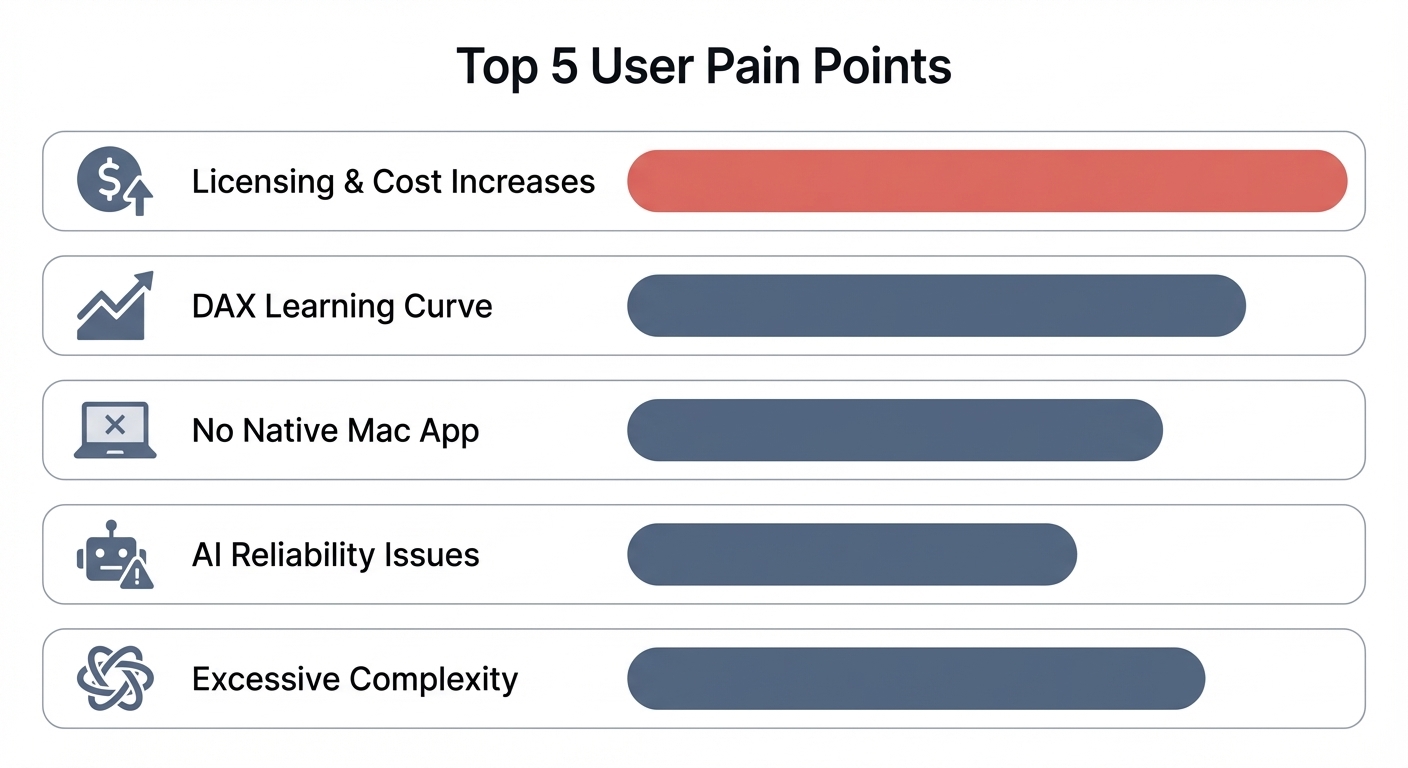
Between the 40% price increase that hit in April 2025, forced migrations to Fabric, a brutal DAX learning curve, no native Mac app, and a Copilot AI that users are openly panning—a lot of operators are looking for an exit.
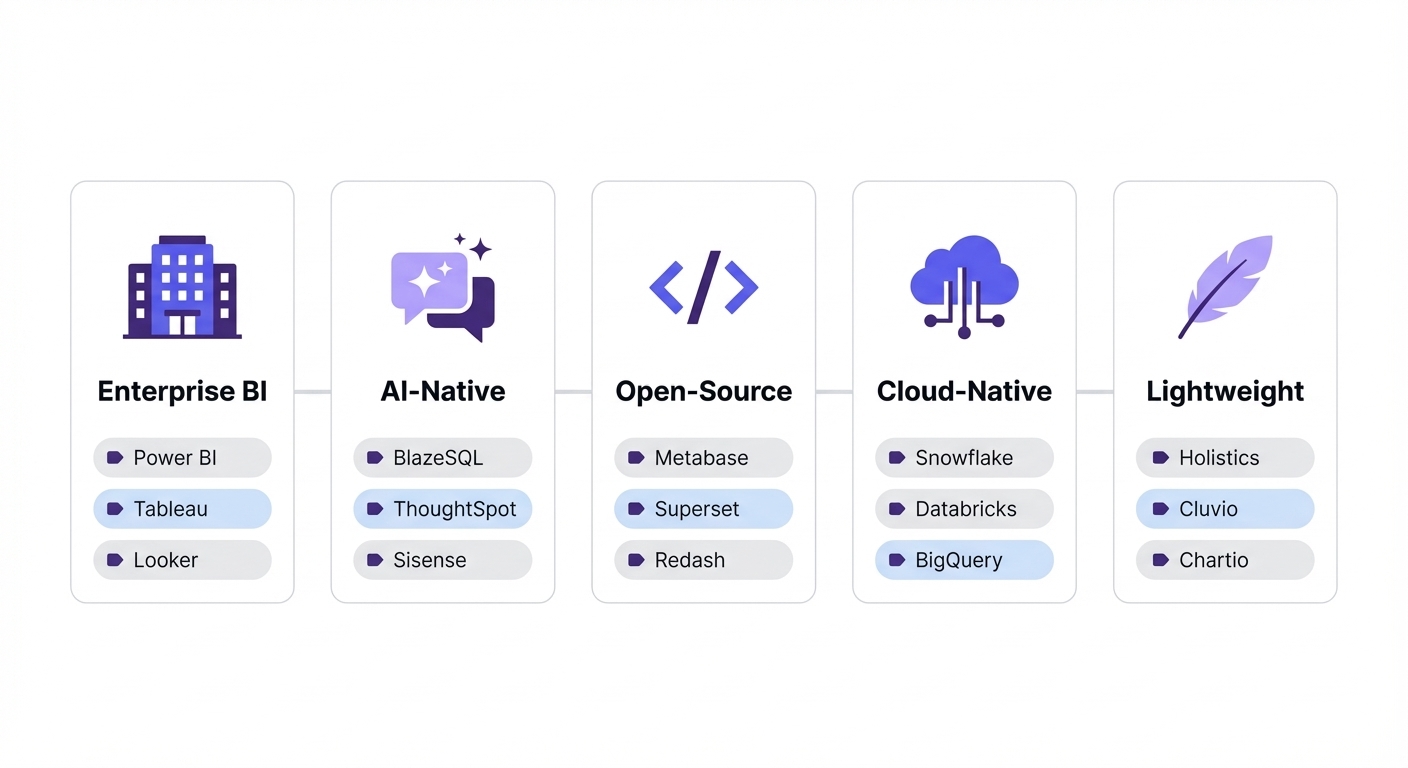
But choosing a "Power BI alternative" isn't a single decision. The right tool depends entirely on your infrastructure. Do you need strict enterprise governance? AI-powered self-service? Open-source flexibility? Most comparison lists dump 10 random tools on a page and call it a day. We’re doing this differently.
Here are 15 viable alternatives organized into five specific use cases. We've included honest trade-offs, real pricing, and actual user evidence so you can make an informed call.
TL;DR: The Power BI Exodus
If you're short on time, here is the state of the market:
- The pricing shift is real: With Pro licenses up 40% and forced Fabric migrations, the baseline cost for enterprise Power BI has shifted drastically.
- The market has split: Enterprise teams are moving to heavyweights like Tableau. Budget-conscious builders are self-hosting open-source tools like Metabase.
- AI is the new dividing line: Teams wanting to bypass DAX entirely are adopting AI-native tools like BlazeSQL or ThoughtSpot to let business users query SQL directly.
- Don't migrate everything: Audits consistently show 60–80% of legacy dashboards are completely unused. Only move what matters.
Not sure which solution is right for your needs? Take our quick 2-minute assessment to get personalized recommendations.
At a Glance: All 15 Alternatives Compared
| Tool | Category | Best For | Starting Price | Key Differentiator |
|---|---|---|---|---|
| Tableau | Enterprise BI | Complex data visualization, Mac-native authoring | $75/user/mo (Creator) | Best-in-class visual analytics |
| Qlik Sense | Enterprise BI | Associative data exploration at scale | $300/mo (10 users) | Associative engine + validated AI |
| Looker | Enterprise BI | Google Cloud orgs needing governed semantic layer | Contact sales | LookML semantic modeling |
| BlazeSQL | AI-Native Analytics | Self-service analytics via natural language on SQL databases | ~$400/mo (3 users) | AI reliability architecture for business context |
| ThoughtSpot | AI-Native Analytics | Non-technical users on clean, governed data models | $50/user/mo | Search-driven NLQ interface |
| Sigma Computing | AI-Native Analytics | Excel-fluent teams on Snowflake/BigQuery/Databricks | Contact sales | Spreadsheet UX on warehouse data |
| Metabase | Open-Source | SQL-savvy teams wanting self-hosted control | Free (self-hosted) | Open-source with low barrier to entry |
| Apache Superset | Open-Source | Technical teams needing SQL IDE + visualization | Free (self-hosted) | Full SQL Lab + 90+ chart types |
| Lightdash | Open-Source | dbt-native teams wanting BI on metrics layer | Free (self-hosted) | Built directly on dbt models |
| Amazon QuickSight | Cloud-Native | AWS ecosystem with infrequent report viewers | $0.30/session (Reader) | Pay-per-session pricing |
| Zoho Analytics | Cloud-Native | Budget-conscious SMBs, Zoho ecosystem users | $30/mo (2 users) | Enterprise features at SMB pricing |
| Domo | Cloud-Native | Mid-market orgs needing data integration + BI in one | Contact sales | Built-in ETL + 1000+ connectors |
| Looker Studio | Free & Lightweight | Google ecosystem users needing basic dashboards | Free | Zero cost, Google Ads/Analytics native |
| Klipfolio | Free & Lightweight | Agencies and teams tracking KPI dashboards | $99/mo (5 users) | Pre-built metric dashboards |
| Databox | Free & Lightweight | Scaling teams wanting no-code BI with unlimited users | $47/mo (unlimited users) | Unlimited users per workspace |
Why Teams Are Switching From Power BI in 2026
Before you rip and replace, it's worth asking: is your frustration a solvable problem, or a structural one? Not everyone searching for an alternative actually needs to leave.
Here is what is currently driving teams to look elsewhere.
The Price Hike and Licensing Maze
Power BI Pro jumped 40% to $14/user/month in April 2025. PPU rose 20% to $24/user/month. But the bigger shock was Microsoft discontinuing Premium P SKUs entirely. Customers are now forced onto Microsoft Fabric, where an F64 capacity setup (~$5,000/month) is your minimum floor to avoid per-user viewer licensing.
The licensing structure itself is exhausting. Pro, PPU, Fabric F SKUs, legacy P SKUs—even veteran Power BI admins struggle to optimize these costs.
Complexity Built for a Different Era
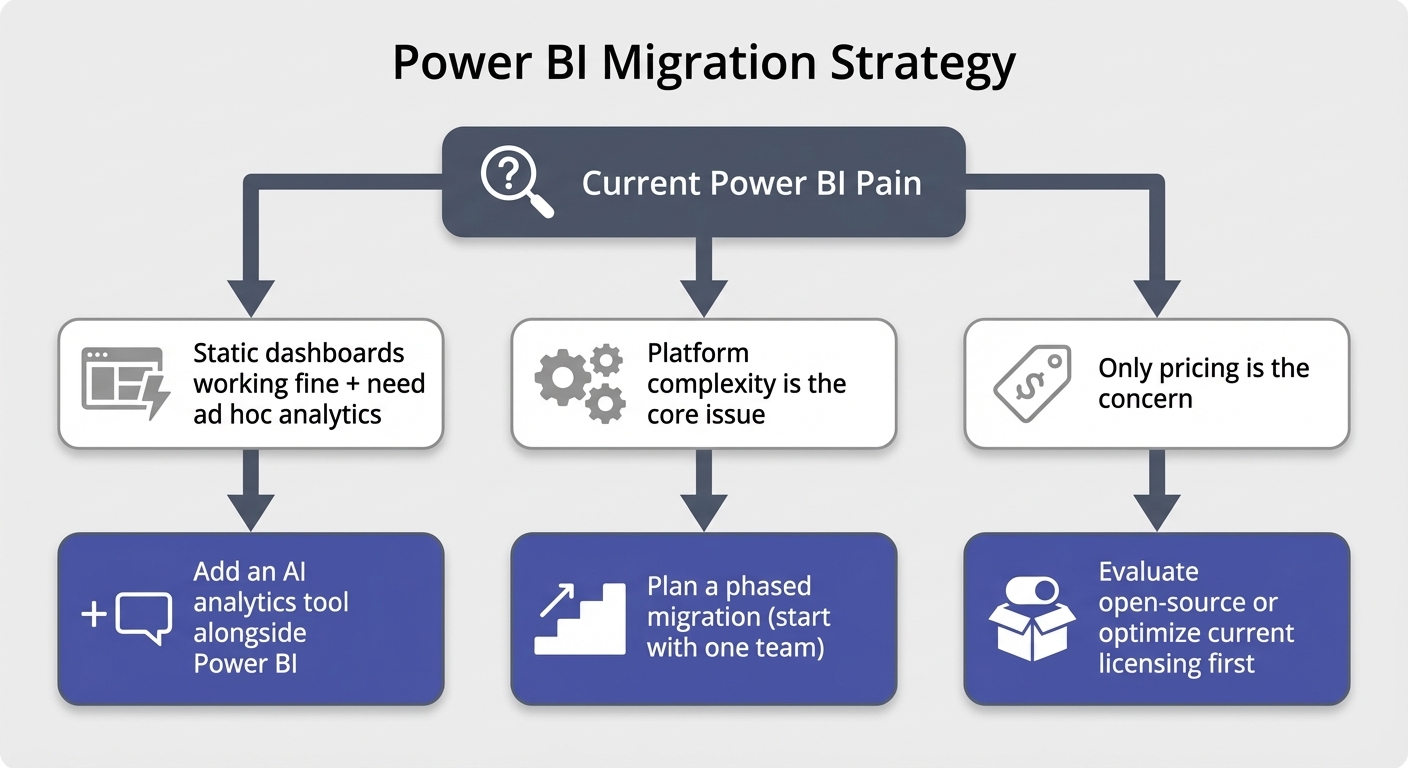
This is the most common complaint we see in practice. Power BI can do almost anything, but most teams don't need it to. The platform's sheer complexity—DAX, Power Query (M language), semantic modeling, gateway configurations—was designed for a pre-AI world. It assumes heavily engineered dashboards are the only path to self-service.
DAX has a notoriously steep learning curve. If you don't use it every day, you forget it. This proprietary layer actually becomes a bottleneck in the age of AI. Power BI's Copilot works on top of DAX and semantic models instead of querying your SQL database directly, which limits its flexibility.
No Native Mac App
It’s 2026 and Power BI Desktop still has no macOS version. Mac users are stuck using the limited browser-based service, running Parallels, or dealing with remote desktop lag. With 93% of CIOs reporting increased Apple device adoption over the last two years, this is a growing structural issue.
Copilot AI Has Disappointed
Power BI Copilot was marketed as the silver bullet for platform complexity. In reality, users have been consistently critical:
Worse, Copilot requires F2+ or P1+ capacity. You are essentially paying a premium for an AI feature that struggles with accuracy.
When Power BI Is Still the Right Choice
Let's be clear: Power BI is still a powerhouse in specific scenarios. You probably shouldn't switch if:
- You are a deep Microsoft 365 / Azure shop. Native integrations with Excel, Teams, and Synapse are hard to beat.
- Your reporting needs are mostly static. If you just need a fixed set of dashboards that auto-refresh, the friction of moving isn't worth it.
- You’ve already invested heavily in DAX. If you have the in-house expertise to maintain complex semantic models, keep leveraging them.
- You have strict on-premise requirements. Going fully on-prem means giving up frontier AI models anyway.
- You are a very small team (1–10 users). Even at $14/user/month, it remains an affordable per-user option for full enterprise BI.
If your setup genuinely fits these criteria, stay put. For everyone else, here are the alternatives worth your time.
Enterprise BI Platforms
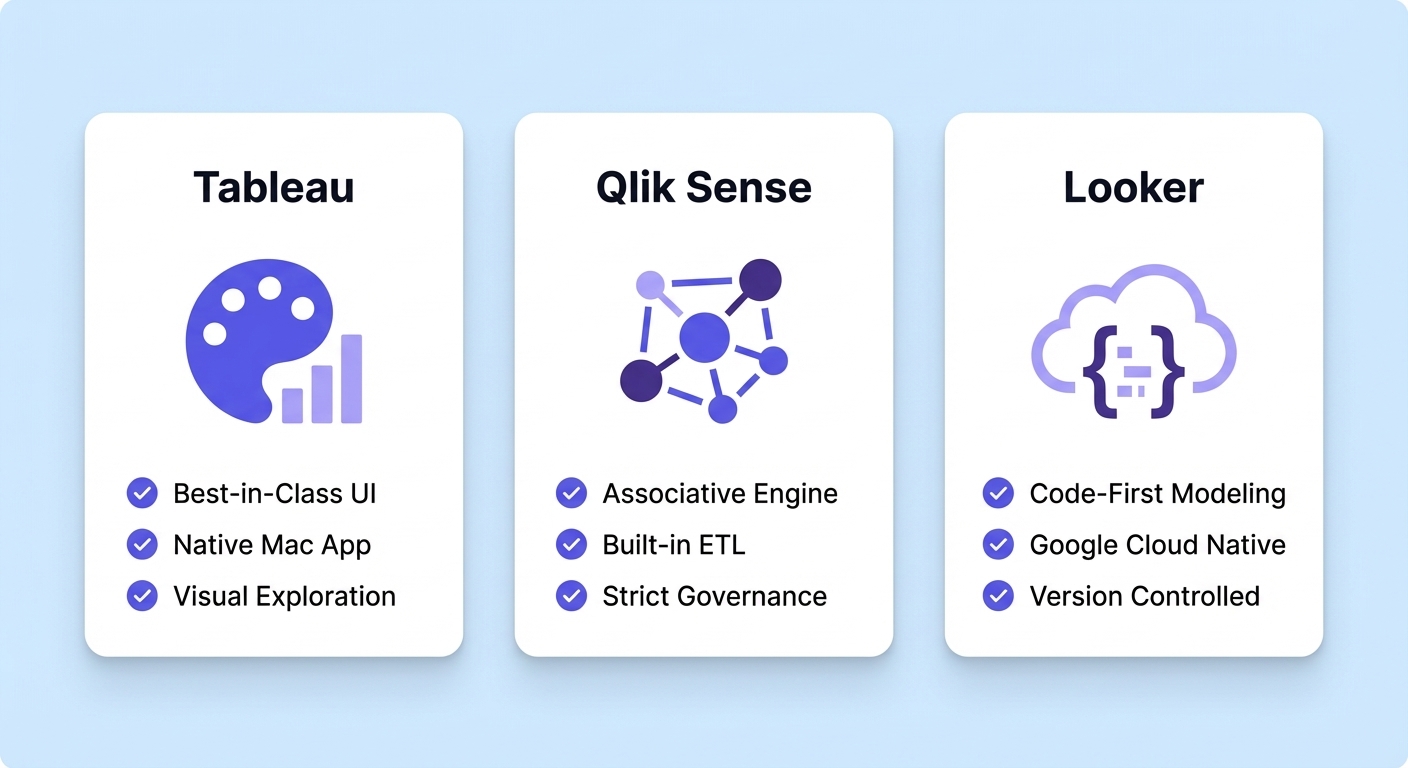
These are the established heavyweights. They offer deep modeling, massive visualization libraries, and strict governance. You trade Power BI's complexity for a different flavor of enterprise complexity, but you gain specific workflow advantages.
Tableau
Tableau is still the gold standard for pure visual exploration. Its drag-and-drop interface is genuinely intuitive once you get the hang of it, and it remains the only major enterprise BI platform with a native Mac desktop app.
Best for: Complex data visualization, cross-platform authoring, and teams prioritizing visual exploration.
Starting price: $75/user/month (Creator), $42/user/month (Explorer), $15/user/month (Viewer) — all billed annually.
Key strengths:
- Best-in-class visual analytics with a highly intuitive UI.
- Native macOS desktop app (a huge win for Apple-heavy tech teams).
- Massive community and third-party training ecosystem.
- Flexible deployment options across Cloud, Server, or Desktop.
Trade-offs:
- Requires annual contracts; no monthly flexibility.
- Licensing stacks up fast across Creator, Explorer, and Viewer tiers.
- Salesforce announced a 6% price increase effective August 2025.
- Tableau Pulse (their AI feature) has mixed reviews. Independent analysis described it as rushed out before it was ready.
Qlik Sense
Qlik takes a fundamentally different approach. Its associative engine lets users explore connections intuitively—clicking any data point instantly highlights related data across all connected sources, bypassing traditional filter logic entirely.
Best for: Enterprise teams needing deep associative data exploration and heavy ETL capabilities.
Starting price: $300/month for 10 users (Starter), $825/month (Standard), $2,750/month (Premium).
Key strengths:
- Unique associative engine makes cross-source exploration incredibly fast.
- Built-in ETL capabilities via Qlik Data Integration.
- Qlik AI Answers has some of the strongest independent validation in the enterprise space. Gartner Peer Insights reviewers note it saves "months of hard work" compared to building custom RAG systems.
- Top-tier enterprise governance and security.
Trade-offs:
- Steep learning curve for its proprietary scripting language.
- Features like NPrinting (reporting), Qlik Catalog, and Alerting require extra licenses, creating surprise costs.
- No native Mac client; browser-based only.
Looker (Google Cloud)
Looker takes a code-first approach via LookML, its proprietary SQL-based semantic modeling language. It forces your team to define metrics in version-controlled code, ensuring total consistency across the organization.
Best for: Google Cloud shops needing a strictly governed semantic layer and embedded analytics.
Starting price: Contact sales (no public pricing).
Key strengths:
- LookML forces a highly governed, version-controllable single source of truth.
- Tight integration with Google Cloud, BigQuery, and Vertex AI.
- Best-in-class embedded analytics.
- Gemini AI integration offers conversational queries (currently free tokens until October 2026).
Trade-offs:
- Opaque pricing. It is widely reported as prohibitively expensive for smaller orgs.
- LookML creates a strict developer dependency. Business users cannot model data themselves.
- Gemini AI features are still finding their footing. One Reddit user noted it's "not there yet in terms of insights on data."
- Token-based pricing kicks in after October 2026 ($3/1M input, $20/1M output).
AI-Native Analytics Platforms
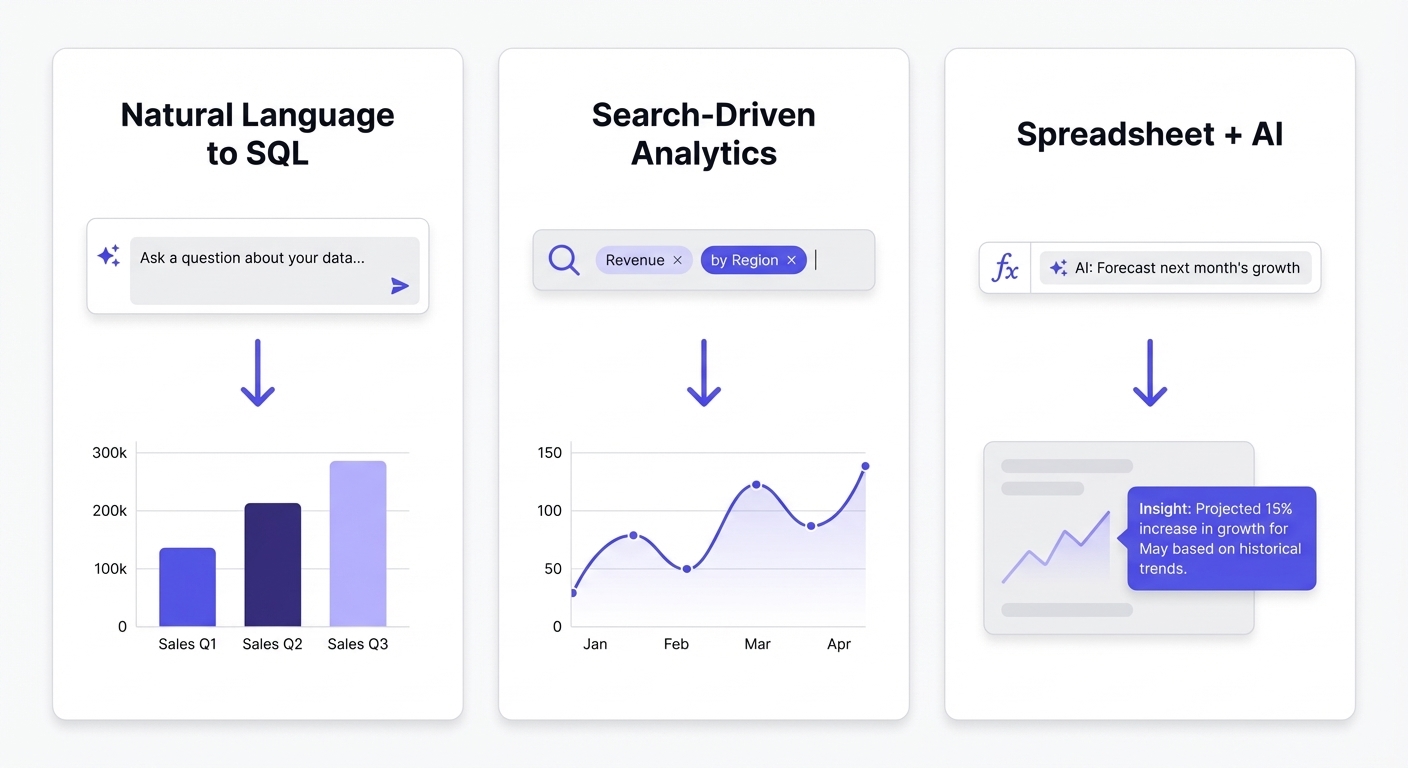
These tools were built around AI from day one. They don't bolt a chatbot onto a legacy dashboard tool; they use natural language or search as the primary interface.
A quick warning: "AI-powered" is the most abused phrase in software right now. When evaluating these, ignore the slick demo videos. Look for tools that actually work reliably on your messy, real-world data schemas.
BlazeSQL
BlazeSQL focuses heavily on operational reliability. It connects to your SQL database and lets users query data using natural language, returning SQL, tables, and dashboards. The key differentiator is its architecture for capturing business context—teaching the AI your specific logic so it doesn't hallucinate answers.
Best for: Teams wanting true AI-powered self-service on SQL databases, catering to both technical and non-technical users.
Starting price: ~$400/month (includes 3 users), ~$50/additional user. Free trial available.
Key strengths:
- Knowledge notes and query review workflows let you train the AI on your exact business definitions without prompt engineering.
- Connects to any major SQL database (Snowflake, BigQuery, Postgres, MySQL, Databricks, Redshift, etc.).
- Technical users get massive time savings on writing SQL; non-technical users get to self-serve without waiting on the data team.
- Includes automated, AI-generated weekly email reports summarizing metric changes.
Trade-offs:
- Fewer pixel-perfect formatting options compared to traditional giants like Tableau.
- No fully on-premise deployment option (though the desktop app keeps query results local).
- Requires a SQL database or warehouse; it won't run natively on isolated flat files.
ThoughtSpot
ThoughtSpot pioneered search-driven analytics. Users type questions into a search bar and instantly get charts and tables. They've layered their Spotter AI agent suite on top of this framework to handle multi-step reasoning.
Best for: Enterprises with perfectly clean, well-modeled data who want non-technical users to self-serve at scale.
Starting price: $50/user/month (Pro, includes 25 Spotter AI queries/month). Unlimited Spotter is an add-on.
Key strengths:
- Highly intuitive search interface built specifically for business users.
- Lightning-fast data retrieval.
- The Spotter agent suite (SpotterModel, SpotterViz, SpotterCode) adds genuine agentic capabilities.
- Proven enterprise track record. Fabuwood saw a 300% surge in queries after dropping Power BI for ThoughtSpot.
Trade-offs:
- Your data model needs to be immaculate. If your schema is messy or complex, NLQ accuracy drops fast.
- Visualization customization is rigid compared to legacy BI.
- Spotter AI is capped at 25 queries/month on the Pro tier.
- Reddit users frequently report friction when handling complex joins within the tool.
Sigma Computing
Sigma brings a spreadsheet interface to your cloud data warehouse. If your operations team thinks in Excel formulas but your data lives in Snowflake or BigQuery, Sigma bridges that gap beautifully.
Best for: Excel-fluent business users sitting on modern cloud data warehouses.
Starting price: Contact sales (no public pricing).
Key strengths:
- A spreadsheet UX that requires almost zero onboarding for Excel power users.
- Warehouse-native architecture. Queries execute directly in the warehouse—no data extraction required.
- Named Databricks BI Partner of the Year 2025.
- Incredible adoption metrics. Duolingo hit 91% active user adoption in 90 days after rolling it out.
- AI Toolkit allows natural language querying right inside spreadsheet cells.
Trade-offs:
- Purely cloud-based. No on-premise or desktop options.
- It demands a modern cloud warehouse; not a fit for legacy on-prem databases.
- Opaque pricing model.
- AI queries consume warehouse compute, which can add up if heavily used.
Open-Source & Developer-First Tools
If you want absolute control over your stack and have the engineering hours to support it, open-source is the way to go. You trade licensing budget for infrastructure management.
Metabase
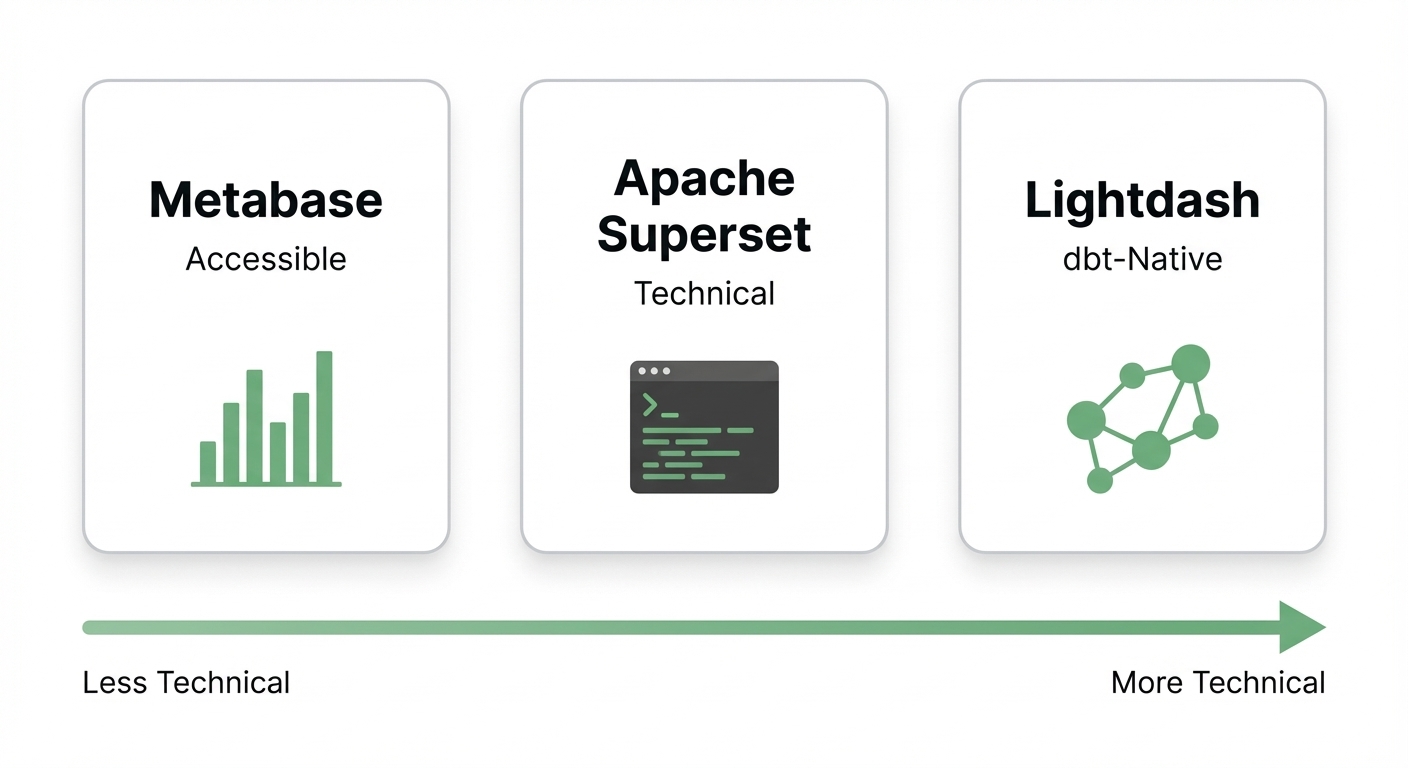
Metabase is widely considered the most accessible open-source BI tool. It bridges the gap between technical and non-technical users with a visual "Question Builder" alongside a standard SQL query editor.
Best for: Small to mid-size data teams looking for self-hosted BI with a low barrier to entry.
Starting price: Free (open-source, self-hosted) or $100/month + $6/user (Starter cloud plan).
Key strengths:
- Genuine zero-cost entry for teams willing to self-host.
- The Question Builder is legitimately usable by non-SQL staff for basic charting.
- Incredible cost efficiency. Alto cut data platform costs by 90% when they switched from Tableau to Metabase.
- Highly active community with rapid release cycles.
Trade-offs:
- Self-hosting means you are on the hook for security patches and infrastructure maintenance.
- Limited visualization customization for complex enterprise needs.
- The Metabot AI add-on costs $100/month for 500 requests, and we haven't seen deep independent validation of its quality yet.
- Core enterprise features (like embedding) are locked behind paid Pro/Enterprise tiers.
Apache Superset
Superset is the heavyweight open-source option. Originally built at Airbnb, it features a full SQL Lab IDE and an massive library of visualization types. It is technically demanding but incredibly capable.
Best for: SQL-heavy analysts needing a robust IDE tightly coupled with dashboards.
Starting price: Free (open-source, self-hosted) or from ~$500/month via Preset.io (managed cloud).
Key strengths:
- A true "query tool + BI tool" hybrid via its built-in SQL Lab.
- Ships with 90+ highly customizable chart types.
- Huge financial upside. The City of Ann Arbor saved 94% ($48k down to $3k/year) switching from proprietary BI to Superset.
- Governed by the Apache Software Foundation, meaning zero vendor lock-in risk.
Trade-offs:
- Demands serious DevOps expertise for deployment, patching, and scaling.
- Highly intimidating for non-technical users without SQL chops.
- Performance can lag on massive datasets depending on how you've tuned your underlying database.
- The managed version (Preset.io) limits public pricing transparency.
Lightdash
Lightdash is purpose-built for the dbt (data build tool) ecosystem. It connects straight to your dbt project, letting you build charts directly on top of your existing semantic layer.
Best for: Data teams already entrenched in dbt who want their BI tool to inherit those metrics.
Starting price: Free (open-source, self-hosted). Cloud pricing available on request.
Key strengths:
- Keeps BI logic perfectly synced with your dbt models. No duplicated effort.
- Version-controllable right alongside your dbt repo.
- Well-funded and actively developed (raised $11M in October 2024).
- Actively shipping AI analyst features.
Trade-offs:
- Completely tied to dbt. If you don't use dbt, look elsewhere.
- Smaller community footprint compared to Metabase or Superset.
- No transparent cloud pricing.
- Visualization options are functional but less expansive than enterprise tools.
Cloud-Native & All-in-One Platforms
These platforms make sense if you are already heavily invested in their specific ecosystem or if you want to bundle data integration (ETL) directly with your BI.
Amazon QuickSight
QuickSight is AWS's native BI play. Its absolute superpower is the pricing model: you pay purely for what viewers consume. At $0.30 per session, it is unbeatable for teams with hundreds of passive report viewers.
Best for: AWS-centric organizations with a large base of infrequent report viewers.
Starting price: $0.30/session for Readers (capped at $5/month max), $24/month for Authors.
Key strengths:
- Pay-per-session pricing structure is highly cost-effective for large teams.
- Deep, native AWS integration across S3, Redshift, Athena, and SageMaker.
- Fully managed infrastructure.
- Includes Amazon Q generative BI features (requires a $28/month author add-on).
Trade-offs:
- Visual polish and feature depth don't match Tableau or Qlik.
- The SPICE in-memory engine adds hidden capacity costs ($0.25/GB/month).
- Amazon Q AI features are still maturing, with limited independent user validation.
- Only makes sense if your stack is already on AWS.
Zoho Analytics
Zoho Analytics punches above its weight class. It provides surprisingly robust BI features at a fraction of enterprise costs. If you already use Zoho CRM or Zoho Books, this is an easy decision.
Best for: Budget-conscious SMBs and existing Zoho ecosystem users.
Starting price: $30/month for 2 users (Basic), up to $575/month for 50 users (Enterprise).
Key strengths:
- Radically transparent and affordable pricing compared to legacy enterprise platforms.
- Low learning curve for non-technical users.
- Ask Zia NLQ assistant is bundled into paid plans.
- Proven ROI. Flexxaire reduced analytics time by 90% after picking Zoho over Power BI.
- Officially recognized in the 2024 Gartner Magic Quadrant for Analytics and BI.
Trade-offs:
- Struggles with advanced analytics on massive enterprise-scale datasets.
- Zia AI lacks broad independent validation.
- Smaller third-party community and ecosystem.
Domo
Domo is an all-in-one beast. It bundles data integration (ETL), visualization, and app building into a single cloud platform. It ships with over 1,000 pre-built connectors.
Best for: Mid-market orgs that want to skip building an ELT pipeline and handle everything in one tool.
Starting price: Contact sales (no public pricing).
Key strengths:
- Solves data integration and BI simultaneously with 1,000+ connectors.
- Magic ETL allows for visual, no-code data transformations.
- Excellent mobile experience.
- All Response Media saw 230% reporting usage growth after dropping fragmented data silos for Domo.
Trade-offs:
- It is significantly more expensive than Power BI. One independent analysis estimates a 3-year TCO for 250 users at $740k–$1.45M (compared to $193k–$365k for Power BI).
- Domo AI Pro relies on consumption-based pricing.
- The UI is dense and takes time to learn.
- Lack of transparent pricing makes early evaluation difficult.
Free & Lightweight Tools
Sometimes you just need simple metrics on a screen without over-engineering it. These tools are perfect for departmental dashboards and basic KPI tracking.
Looker Studio
Google's free dashboarding tool (formerly Data Studio) plugs straight into Google Analytics, Ads, BigQuery, and Sheets. If you live in Google Workspace, it’s hard to argue with free.
Best for: Google ecosystem users who just need basic marketing or operational dashboards.
Starting price: Free. (Looker Studio Pro available for advanced needs).
Key strengths:
- Zero cost for the core product.
- The best native connectors for Google Ads and Google Analytics.
- Fully browser-based.
- Sharing reports is as easy as sharing a Google Doc link.
Trade-offs:
- Hard limit of 5 data source blends per chart, and no UNION support.
- Performance drags heavily unless backed by a proper data warehouse like BigQuery.
- Gemini AI features are locked behind the Pro subscription.
- Not built for ad hoc exploration or massive dataset processing.
Klipfolio
Klipfolio skips deep analytics in favor of streamlined KPI tracking. It offers a massive library of pre-built dashboard templates geared toward marketing, sales, and executive overviews.
Best for: Agencies and revenue teams tracking standard KPIs who want quick setup.
Starting price: $99/month for 5 users (Grow), $299/month for unlimited users (Team+).
Key strengths:
- Pre-built templates get you from zero to dashboard in minutes.
- A deep, frequently updated connector library.
- The $299/month unlimited user tier is highly cost-effective for growing teams.
- A highly focused, distraction-free interface.
Trade-offs:
- Very limited data modeling capabilities.
- Not meant for deep ad hoc data exploration.
- Lacks modern AI query features.
- Narrower focus means a smaller user community.
Databox
Databox is pure no-code BI built specifically for functional leaders, not data engineers. Its standout feature is offering unlimited users on every paid plan.
Best for: Scaling teams who want broad, no-code self-service access without per-seat licensing penalties.
Starting price: Free (3 data sources), $47/month (Starter) — unlimited users across all plans.
Key strengths:
- Unlimited users on all tiers fundamentally changes how widely you can deploy it.
- True no-code setup out of the box.
- Deep integrations with standard sales and marketing SaaS tools.
- The free tier is actually usable for tiny teams.
Trade-offs:
- Won't handle complex data warehousing or deep transformations.
- Their new "DIY BI with Advanced Analytics" (launched 2025) is still unproven at scale.
- Heavily gates advanced features behind more expensive tiers.
- Useless for teams that want to run deep SQL workflows.
Before You Migrate: What Nobody Tells You
The biggest mistake you can make is underestimating migration friction. You cannot simply hit "export" on Power BI and spin up a new tool. Here is the reality of moving:
💡 Key insight: Most reports don't need to migrate. An object inventory assessment usually reveals a brutal truth: 60–80% of existing Power BI reports are unused, duplicative, or completely outdated. Audit your usage logs before you move a single dashboard.
DAX doesn't translate. There is no magic converter for DAX measures, M transformations, or complex semantic models. You will have to rebuild them. One consultant documented a Power BI to Looker migration where a 4-week estimate blew up immediately after scoping the underlying logic.
Costs add up fast. The software might be cheaper, but the migration isn't. Medium-scale enterprise migrations to Tableau are reliably estimated at $15,000–$75,000, with larger lifts easily topping $150,000. Even free open-source tools will tax your engineering payroll.
Try running tools in parallel first. Many smart teams are adding an AI tool like BlazeSQL, ThoughtSpot, or Sigma alongside Power BI. They use the new tool to handle ad hoc questions while letting Power BI run the legacy static dashboards. This kills the migration risk and proves the new tool's value before you fully commit.
How to Pick the Right Alternative
Don't overcomplicate the decision. Weigh these four factors against your current reality:
- Your infrastructure: If you're on Google Cloud, Looker or Sigma makes sense. On AWS? QuickSight. If you have a standard SQL database and want AI to handle the querying, BlazeSQL is built for that exact workflow.
- Your users: If this is just for data analysts, deploy Superset. If non-technical business users need to self-serve daily, prioritize UX (BlazeSQL, ThoughtSpot, Sigma, Zoho).
- Your budget: Strapped for cash? Self-host Metabase or use Looker Studio. Have a real enterprise budget? Evaluate Tableau or Qlik.
- Dashboards vs. Answers: Do you need perfectly formatted recurring reports, or the ability to ask ad hoc questions instantly? Pick the tool that excels at your primary need.
If you're still stuck, use the assessment tool linked below to narrow down your shortlist based on your stack.
Not sure which solution is right for your needs? Take our quick 2-minute assessment to get personalized recommendations.
Frequently Asked Questions
Does Google have a Power BI equivalent?
Yes, two. Looker Studio is free and handles basic dashboarding (roughly matching Power BI's lower-end reporting). Looker is their full enterprise platform built on LookML. Looker is powerful, but pricing is hidden and it requires developer expertise to model data.
What's the best free Power BI alternative?
If you can self-host: Metabase or Apache Superset. If you need a cloud solution: Looker Studio (free for the Google ecosystem) or Databox (generous free tier). Just remember that open-source "free" costs engineering time, while cloud "free" costs analytical depth.
Can I use Power BI on Mac?
Not locally. Power BI Desktop is strictly Windows-only. You have to use the browser-based Power BI Service (which is limited), run a virtual machine like Parallels, or use a remote desktop. All 15 alternatives in this guide bypass this issue with either native Mac apps or robust browser experiences.
Is Power BI still worth learning in 2026?
Yes, particularly if you are building a career in Microsoft-heavy enterprise orgs. However, the BI landscape is shifting fast. Companies are planning to triple AI-driven BI access by 2026. Learning pure SQL is ultimately a more portable and future-proof skill than mastering DAX.
How long does it take to migrate from Power BI to another tool?
Simple dashboard migrations take days. Full enterprise migrations involving complex DAX, row-level security, and hundreds of reports take 2–6 months. Want to cut that time in half? Do an audit first. You probably only need to migrate 20% of what you currently maintain.
What about just using ChatGPT for data analysis?
ChatGPT is great for writing one-off SQL queries, but it is not an enterprise analytics solution. It doesn't connect securely to production databases, it can't govern access control, and it forgets your business logic the moment the chat window closes. It works for quick personal analysis on CSVs, but you can't run a team on it.
ffs here goes another 10 year discussion to decide on the best strategic BI tool for the organisation. Just when I thought things were settling 😭
View on Reddit