


15 Best ThoughtSpot Competitors and Alternatives in 2025

ThoughtSpot pitched a compelling dream: "Google for your data." The promise was that anyone could type a question and get an instant answer. But as teams deploy it, reality often hits hard.
The main friction point? "Natural language" isn't always natural. Often, it requires specific keywords and syntax. And before a business user can ask a single question, data teams often spend weeks building worksheets, defining joins, and configuring synonyms.
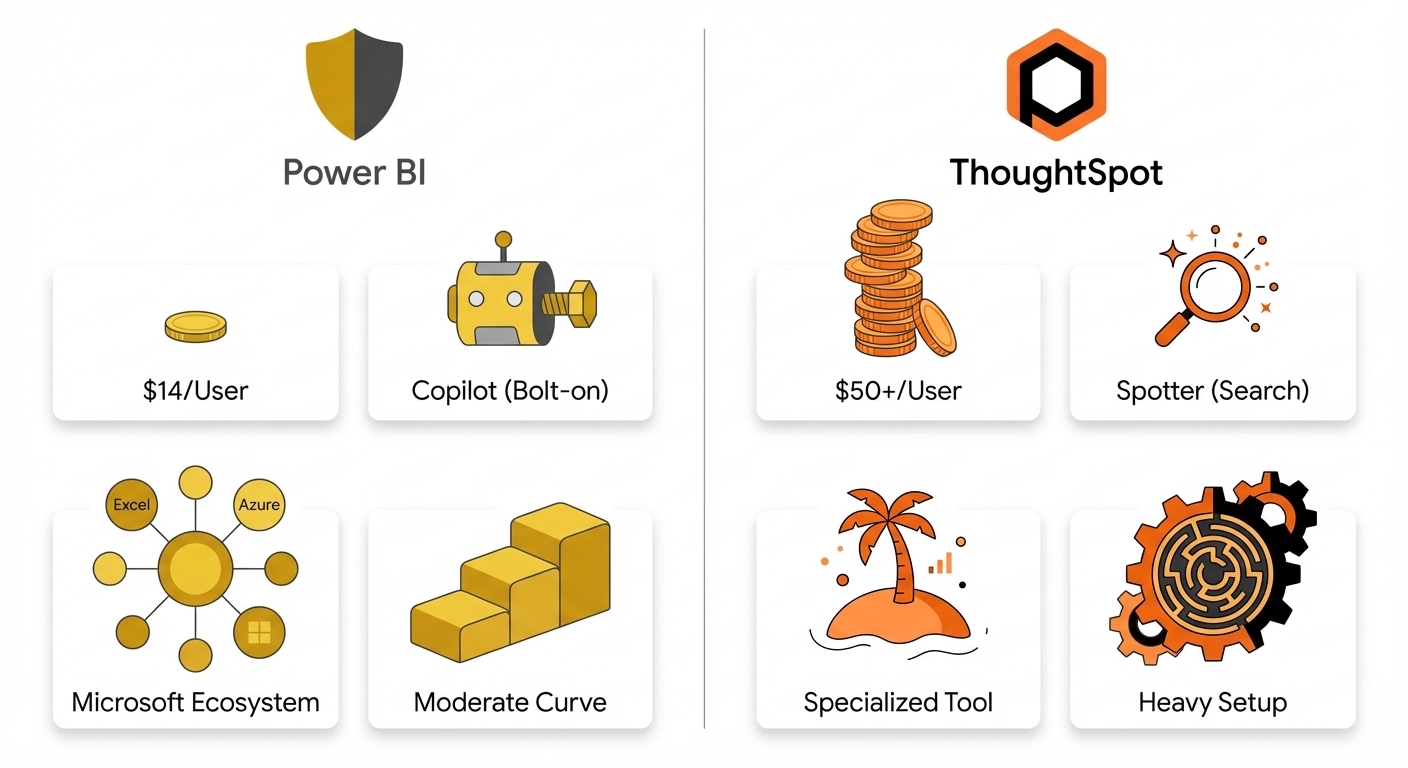
Then there's the bill. ThoughtSpot advertises "$50/user/month," but Vendr buyer data pegs the average annual contract closer to $140,000. If you're using embedded analytics, per-query pricing can turn a busy month into a budget crisis.
This guide cuts through the marketing fluff. Here is the evidence-based breakdown of your alternatives—whether you need true self-service, lower costs, or a tool that actually works like the demo.
TL;DR: Top ThoughtSpot Alternatives by Use Case
If you just want the cheat sheet, start here.
| Your Priority | Best Alternative | Why |
|---|---|---|
| True self-service without heavy setup | BlazeSQL | AI-native architecture adapts to your database without months of semantic layer pre-work |
| Microsoft ecosystem integration | Power BI | Unbeatable price ($14/user/mo) if you're already in Azure/M365 |
| Advanced visualizations | Tableau | The industry standard for complex, pixel-perfect visuals |
| Spreadsheet-familiar interface | Sigma Computing | Excel-like experience on live cloud data. Great for finance teams |
| Budget-conscious teams | Metabase or Power BI | Free (Metabase open source) to cheap ($14/mo Power BI Pro) |
| Embedded analytics | Sisense or Luzmo | Purpose-built for white-labeled, customer-facing apps |
| Open source with full control | Apache Superset | Free, highly customizable, active community |
Need a personalized recommendation? We built a 2-minute assessment to help you decide.
Not sure which ThoughtSpot alternative fits your needs? Answer a few questions to get a personalized recommendation based on your team size, technical resources, and priorities.
Why Teams Quit ThoughtSpot
Before jumping to solutions, let's clarify the problem. Why are teams actually leaving?
The "70% Problem"
The most telling feedback comes from users who feel the tool hits a functional wall. One Reddit user comparing ThoughtSpot to Sigma put it perfectly:
ThoughtSpot is impressive for simple queries. But when the analysis gets complex, that "70% wall" kills productivity.
Self-Service Isn't Free (It Costs Dev Time)
The marketing claims instant answers. The Gartner reviews tell a different story:
"Natural language search is impossible without the data team doing a huge amount of up-front data modelling work..."
One data team noted: "The catch is that the data needs to be curated well... the ETL team has to shape and mold the data for specific use cases before it hits ThoughtSpot."
The takeaway: You aren't buying self-service. You're buying a tool that allows for self-service, provided your engineers build the backend first.
Pricing Surprises
"$50/user" sounds great. Here is the math nobody shows you on the homepage:
- The Minimum: You need 25+ users ($1,250/month floor).
- The Real Cost: Average contract is $140,000/year (Source: Vendr).
- The Jumps: Crossing data volume thresholds can spike your monthly bill from $95 to $1,250 instantly.
- The Embed Trap: Per-query pricing means your bill scales with your customers' curiosity. That is scary for finance teams.
Other Dealbreakers
- Customization limits: You can't tweak fonts or card sizes like you can in Tableau.
- Embedded complexity: Too complex to open fully to end customers.
- Hidden compute: Constant re-indexing can quietly drive up your Snowflake/BigQuery costs.
How to Evaluate Alternatives
Don't just look at features. Look at the trade-offs.
1. Self-Service: Setup vs. Reality
Every tool claims self-service. The real variable is the "setup tax."
- Heavy Tax: ThoughtSpot, Zenlytic (requires extensive semantic modeling).
- Low Tax: AI-native tools (learns from database schema/metadata directly).
- Dashboarding: Tableau/Power BI (users consume what you build).
2. Total Cost of Ownership (TCO)
License fees are the tip of the iceberg.
- Implementation: How many weeks of engineering time?
- Maintenance: Who fixes the model when the schema changes?
- Compute: Does the tool re-index constantly?
3. AI Capabilities: Native vs. Bolt-On
- Bolt-on: Added recently (e.g., Tableau Pulse, Power BI Copilot). Often hit-or-miss.
- AI-native: Built on LLMs from day one. Usually more reliable for open-ended questions.
- Keyword Search: Works well, but requires rigid setup.
4. Deployment & Security
Do you need on-prem? VPC? HIPAA? Don't fall in love with a tool that your CISO will veto.
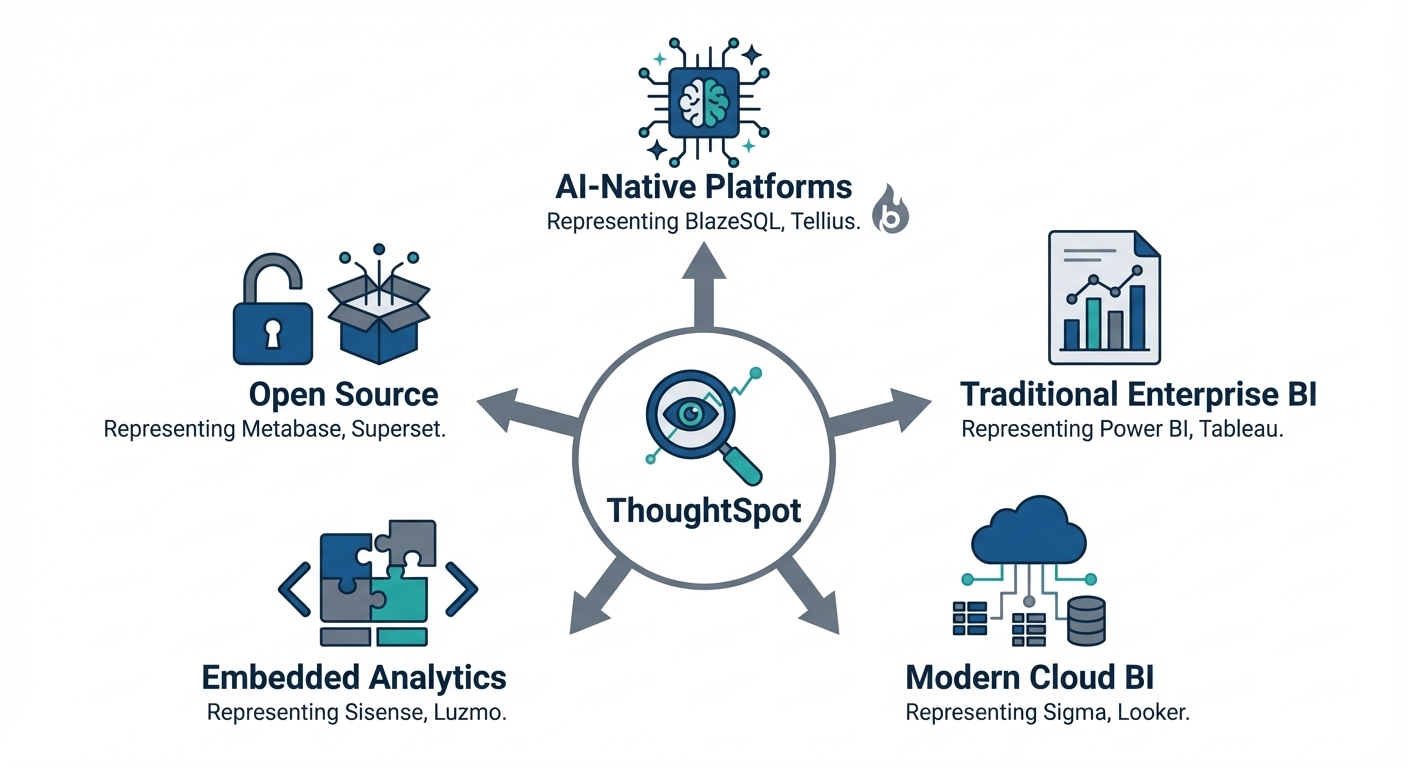
ThoughtSpot Competitors: The Complete List
I’ve categorized these by their "superpower."
Traditional Enterprise BI
The heavy hitters. Best if you have a dedicated data team to build for everyone else.
Tableau
The visualization king. If you need pixel-perfect, magazine-quality dashboards, this is it.
Best for: Teams who value aesthetics and have analysts to build them.
The Reality:
- Pros: Unmatched visualization library (50+ chart types). Huge community. Salesforce integration.
- Cons: Steep learning curve. Can become a "governance nightmare" at scale. Expensive.
- Pricing: $15–$75/user/month.
- AI: "Ask Data" exists, but works within rigid model constraints.
Microsoft Power BI
The default choice for the corporate world. Hard to beat the value if you use Microsoft 365.
Best for: Cost-conscious teams and Microsoft shops.
The Reality:
- Pros: Starts at $14/user/mo. Deep integration with Excel/Azure. Massive feature set.
- Cons: Premium Capacity gets expensive. DAX (the formula language) is hard to learn. Copilot features are currently getting mixed reviews.
- Pricing: $14/user (Pro) to $4,995/mo (Premium Capacity).
- AI: Q&A feature (keyword based) + Copilot (bolt-on).
AI-Native Analytics Platforms
These tools were built around LLMs, not retrofitted. This usually means better handling of natural language without the massive setup.
BlazeSQL
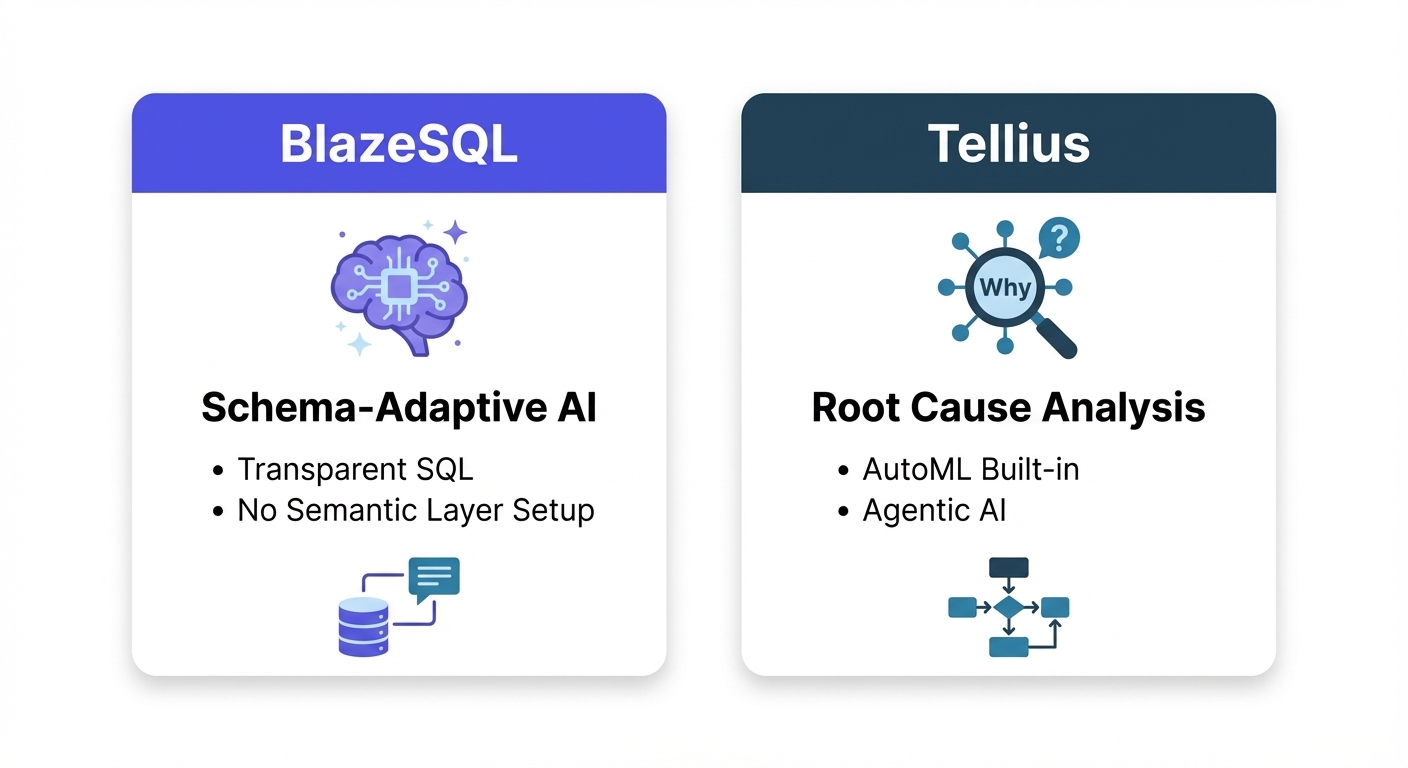
BlazeSQL flips the script. Instead of forcing you to build a semantic layer, the AI adapts to your database. It learns from schema, metadata, and user feedback.
Best for: True self-service without weeks of setup. Teams who want to see the SQL (transparency).
The Reality:
- Pros: Works immediately (hours, not weeks). Transparent SQL generation (you can audit it). AI-powered email reports that explain why metrics changed.
- Cons: Not for pixel-perfect, highly branded reports. Cloud only (no on-prem).
- Pricing: Starts at $400/mo (3 users). No surprise usage fees.
- AI: AI-native. Handles open-ended questions and learns from corrections.
Tellius
Positions itself as "Agentic AI." Good at telling you why something happened, not just what.
Best for: Root cause analysis and automated insights.
The Reality:
- Pros: Automated explanations for metric changes. Includes AutoML.
- Cons: Opaque pricing. Smaller community. Might require data science chops to fully utilize.
- Pricing: Custom (Premium/Enterprise).
- AI: Strong GenAI narratives and analysis agents.
Modern Cloud-Native BI
Built for the Snowflake/BigQuery era.
Sigma Computing
The spreadsheet interface for the cloud data warehouse. If your users love Excel, they will love this.
Best for: Finance/Ops teams who live in spreadsheets but need live cloud data.
The Reality:
- Pros: Zero learning curve for Excel users. Real-time multiplayer (like Google Sheets).
- Cons: Visuals are functional, not beautiful. Pricing is hidden.
- Pricing: Tiered, contact sales.
- AI: "Ask Sigma" for natural language.
Google Looker
The governance choice. Uses LookML to ensure everyone defines "revenue" exactly the same way.
Best for: Data teams who prioritize governance and consistency above all else.
The Reality:
- Pros: LookML creates a single source of truth. Great Google Cloud integration.
- Cons: High technical barrier (need to learn LookML). Expensive. Visuals are just okay.
- Pricing: Platform fee + user fees (Contact sales).
- AI: Gemini-powered analytics (uses Data Tokens).
Qlik Sense
Uses an "associative engine" that lets you explore data non-linearly.
Best for: Experienced data pros who want to explore connections in data.
The Reality:
- Pros: Shows related vs. unrelated data instantly. Predictable capacity pricing.
- Cons: UI feels dated compared to modern tools. Smaller ecosystem.
- Pricing: $200/mo starts.
- AI: Qlik Answers (200-500 questions depending on tier).
Domo
The all-in-one platform. Strong on mobile and automation.
Best for: Executives who need dashboards on their phone.
The Reality:
- Pros: Great mobile app. Real-time updates. Tons of connectors.
- Cons: Expensive (consumption based). "Pay only for what you use" can get scary.
- Pricing: Consumption-based.
- AI: AI Chat and Agents.
Embedded Analytics Specialists
Building a customer-facing product? Don't hack a standard BI tool. Use these.
Sisense
The leader in white-labeled embedded analytics.
Best for: Product teams integrating analytics into their own SaaS.
The Reality:
- Pros: deeply customizable (SDK/APIs). Looks like your product.
- Cons: High entry cost (~$40k/yr). NLQ lacks history retention.
- Pricing: Custom.
- AI: AI Assistant + Narratives.
Luzmo
Specific focus on embedded SaaS dashboards. Fast deployment.
Best for: SaaS startups needing a dashboard feature yesterday.
The Reality:
- Pros: Fast setup. Transparent pricing (rare in embedded).
- Cons: Embedded only (bad for internal BI). Fewer visualization options.
- Pricing: Per-workspace + platform fee.
- AI: Luzmo IQ.
GoodData
Composable platform for data products.
Best for: Complex multi-tenant deployments.
The Reality:
- Pros: Modular architecture. Strong multi-tenancy. Won customers from ThoughtSpot based on cost.
- Cons: Complex. Steeper learning curve.
- Pricing: Per-workspace or custom.
- AI: AI Hub.
Open Source Options
Free software, if your engineer's time is free.
Metabase
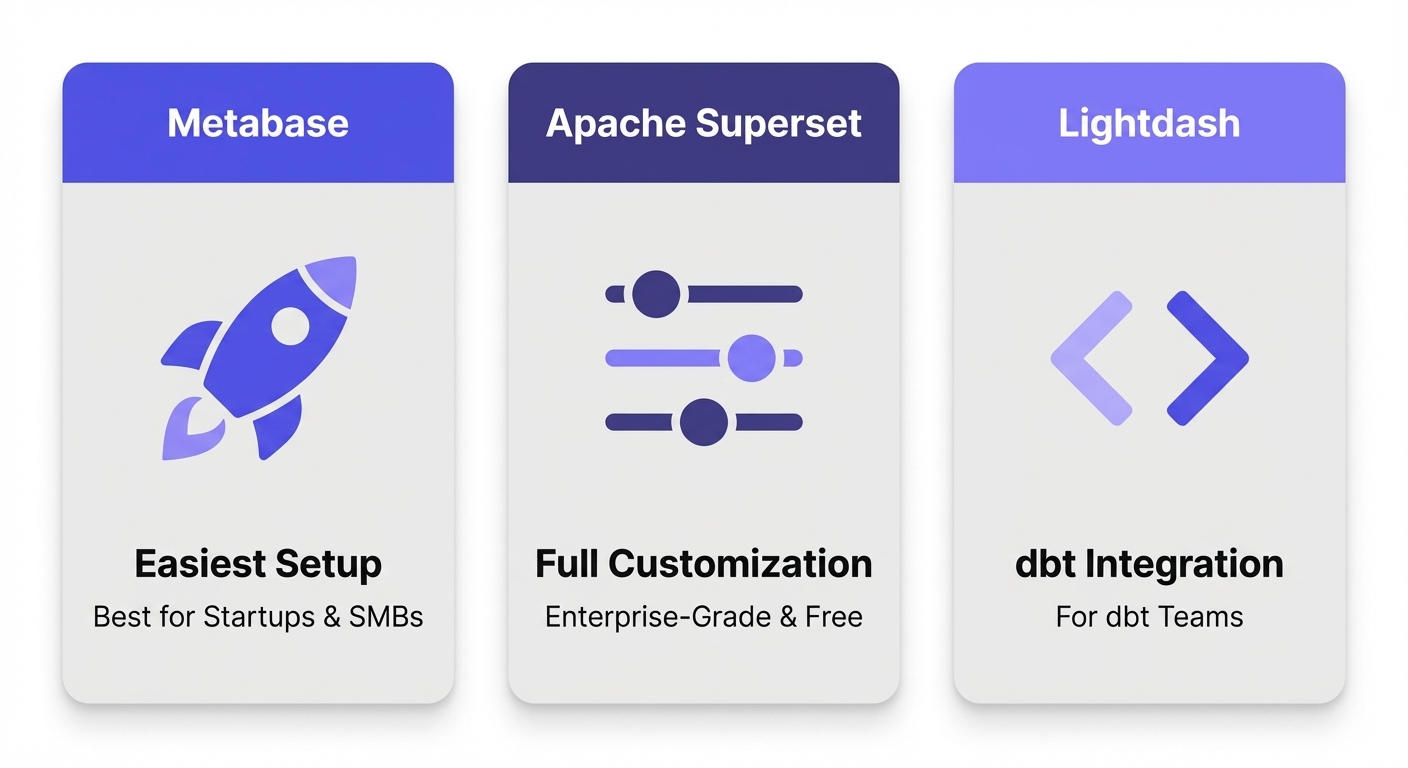
The easiest open-source option.
Best for: Startups, SMBs, and getting started for $0.
The Reality:
- Pros: Actually free (self-hosted). Very easy setup.
- Cons: Hitting limits on complex queries requires SQL. Limited enterprise features.
- Pricing: Free (self-hosted) or Cloud ($85+/mo).
- AI: Metabot (paid tiers only).
Apache Superset
The power user's open-source choice. Airbnb built it.
Best for: Engineering-heavy teams who want total control.
The Reality:
- Pros: Enterprise-grade features for free. Massive visualization gallery.
- Cons: Heavy lift to deploy and maintain. No native AI.
- Pricing: Free (Self-hosted). Commercial via Preset.
- AI: None native.
Lightdash
BI for dbt users.
Best for: Teams already using dbt for everything.
The Reality:
- Pros: Metrics defined in code (dbt). Version control for charts.
- Cons: Useless without dbt. Technical interface.
- Pricing: Free (self-hosted) or Cloud.
- AI: Limited.
Specialized and Emerging Options
Amazon QuickSight
AWS's native tool. Pay-per-session is unique.
Best for: AWS-heavy shops and sporadic usage.
The Reality:
- Pros: Serverless. Pay-per-session (cheap for infrequent users).
- Cons: Limited customization. Best experience locked to AWS data sources.
- Pricing: $3/user (Reader) to $50/user (Author).
- AI: Amazon Q.
Hex
Notebooks + BI. The data scientist's dream.
Best for: Teams blending Python/SQL analysis.
The Reality:
- Pros: SQL + Python in one place. Collaborative (like Google Docs).
- Cons: Not for non-technical business users.
- Pricing: Free tier, then $36/editor.
- AI: Magic AI (code gen).
Mode
Code-first analysis. Now owned by ThoughtSpot.
Best for: Analysts who love SQL/Python/R.
The Reality:
- Pros: Great for ad-hoc analysis. Custom HTML reports.
- Cons: Owned by ThoughtSpot now (uncertain future?). Not for business users.
- Pricing: Free Studio; Enterprise is custom.
- AI: Limited.
Comparison Matrix: The Quick View
| Tool | Starting Price | AI/NLQ | Best For | Self-Service Setup | G2 Rating |
|---|---|---|---|---|---|
| ThoughtSpot | $50/user/mo ($140k avg) | Spotter AI | Enterprise with data teams | Heavy (weeks) | 4.4/5 |
| BlazeSQL | $400/mo (3 users) | AI-native | Self-service without heavy setup | Light (hours-days) | N/A |
| Power BI | $14/user/mo | Q&A + Copilot | Microsoft ecosystem | Medium | 4.5/5 |
| Tableau | $15-75/user/mo | Ask Data + Pulse | Advanced visualization | Medium | 4.4/5 |
| Sigma Computing | Contact sales | Ask Sigma | Spreadsheet users | Medium | 4.6/5 |
| Looker | Contact sales | Gemini | Governed modeling | Heavy | 4.4/5 |
| Qlik Sense | $200/mo (10 users) | Qlik Answers | Associative exploration | Medium | 4.2/5 |
| Sisense | ~$40k/year | AI Assistant | Embedded analytics | Medium | 4.3/5 |
| Metabase | Free-$85+/mo | Metabot | Budget-conscious teams | Light | 4.4/5 |
| Superset | Free | None native | Technical teams | Heavy (self-host) | 4.3/5 |
| QuickSight | $3-50/user/mo | Amazon Q | AWS organizations | Medium | 4.2/5 |
Pricing: What You'll Actually Pay
Sticker price vs. actual invoice. The gap is often massive.
| Tool | Advertised Starting Price | Typical Annual Cost (Mid-Market) | Hidden Cost Factors |
|---|---|---|---|
| ThoughtSpot | $50/user/month | $140,000 (Vendr average) | Data tier jumps, add-ons, compute costs |
| Power BI | $14/user/month | $15,000-50,000 | Premium Capacity at scale, DAX expertise |
| Tableau | $15/user/month (Viewer) | $30,000-100,000 | Creator licenses, Server costs |
| BlazeSQL | $400/month (3 users) | $5,000-20,000 | Predictable seat-based |
| Looker | Contact sales | $50,000-150,000 | LookML development, Data Tokens |
| Sisense | Contact sales | $40,000-100,000+ | User growth, custom development |
| Metabase | Free (open source) | $0-10,000 | Infrastructure, maintenance time |
Note: Always get a direct quote. These are estimates based on market data.
Decision Framework: Which One Fits?
Don't overthink this. Here is the logic tree:
- Go AI-Native (BlazeSQL, Tellius) if: You want self-service now, not in 6 months. You need technical and non-technical users to query data equally.
- Go Traditional (Tableau, Power BI) if: Visualization is king. You have analysts to build reports. You are already deep in Microsoft/Salesforce ecosystems.
- Go Cloud-Native (Sigma, Looker) if: You need tight Snowflake integration. Your users love spreadsheets (Sigma) or you need strict governance (Looker).
- Go Embedded (Sisense, Luzmo) if: You are building a customer-facing product and need white-labeling.
- Go Open Source (Metabase, Superset) if: You have more engineering time than budget.
Still weighing options? Our assessment matches your specific needs—team size, technical resources, use case—to the right category of tool.
FAQ
Q: Is ThoughtSpot really that expensive? A: Yes. While the "$50/user" price tag exists, the minimums, data tier jumps, and compute costs push the average contract to $140k/year according to Vendr.
Q: Can I migrate easily? A: Data? Yes. Logic? No. If you have hundreds of ThoughtSpot "answers," you are rebuilding that logic. AI-native tools (like BlazeSQL) ease this pain by relearning from the database rather than requiring manual migration of every rule.
Q: Which tool has the best AI? A: "AI" is a buzzword. Bolt-on AI (Power BI Copilot, Tableau Ask Data) is often inconsistent. AI-native tools (BlazeSQL) built on LLMs from the ground up generally handle natural language nuances much better.
Q: Best free alternative? A: Metabase (easiest) or Apache Superset (most powerful). Just remember: self-hosting isn't "free" in terms of labor.
Q: Does ThoughtSpot integration with Snowflake matter? A: ThoughtSpot is good at it, but so is everyone else now. Sigma, BlazeSQL, and Looker all have first-class Snowflake support.
Deep Dive: BlazeSQL vs. ThoughtSpot
Since you're reading this on the BlazeSQL blog, let's be transparent about the architectural difference.
The History Problem: ThoughtSpot was built in 2012. Their "search" was keyword-based. They added AI later. The BlazeSQL Approach: We built this AI-native from day one.
Why does that matter?
- Setup: ThoughtSpot needs weeks of configuring keywords and synonyms. BlazeSQL learns from your schema and starts working immediately.
- Transparency: We show you the SQL. You can edit it. You can trust it.
- Pricing: We charge per seat, not per query or data volume. No surprises.
Where we lose: If you need on-premise deployment or pixel-perfect, magazine-style reports, stick with ThoughtSpot or Tableau. We focus on getting you the right answer, fast.
Want to see how BlazeSQL handles your actual data? Connect your database and test with real queries—most teams get accurate results within minutes, not weeks.
The Bottom Line
The BI landscape has shifted. What was cutting-edge in 2012 (Search) isn't necessarily the best solution in 2025 (AI).
If you are tired of the setup tax, the pricing opacity, or the "70% wall," you have options. Use the data above, test a few tools with your actual data, and pick the one that fits your reality—not just the marketing pitch.
TS's 'natural language query' isn't that at all. You have to use specific words in specific ways to get the result you're looking for. Once you onboard they give you training on it.
View on Reddit